Using the Role Manager Page to Create Custom Roles
The Role Manager, found under the Host menu, is used to create custom roles for access to functions at the Host level. These will be the roles that users can be assigned when they are added to the Host account.
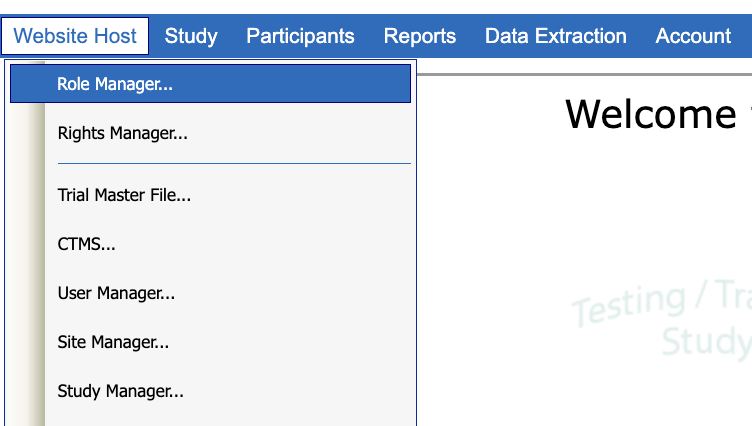
Important Note
These roles pertain only to HOST-level rights and are not related to study roles. By default the system provides two basic roles out of the box: Administrator and Limited Access.
Most users on a host will be given limited access at the host level.
The Role Manager screen allows an Administrative user to:
Add New Roles
Edit Existing Roles
Delete Existing Host-level Roles
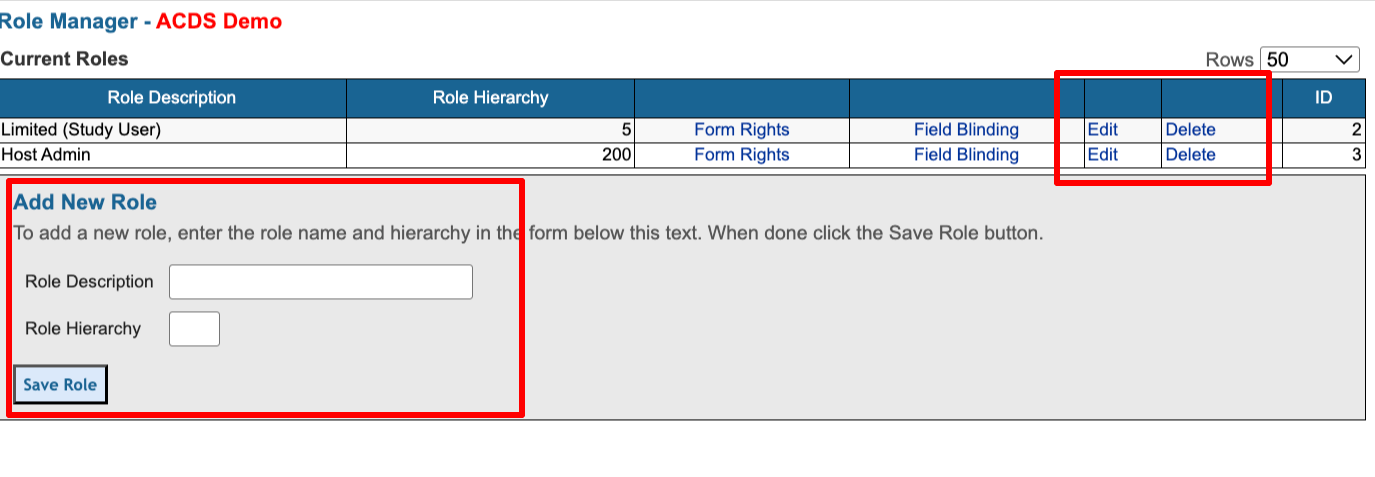
Role Description - The Role Description is a text field that is used to identify the role. Throughout the system, roles are referred to by their Role Description.
Role Hierarchy - The Role Hierarchy establishes relationship of roles. For example, when a user in in the Role Manager, they will be able to add, edit, and delete roles that have a hierarchy equal to or less than your role’s hierarchy.
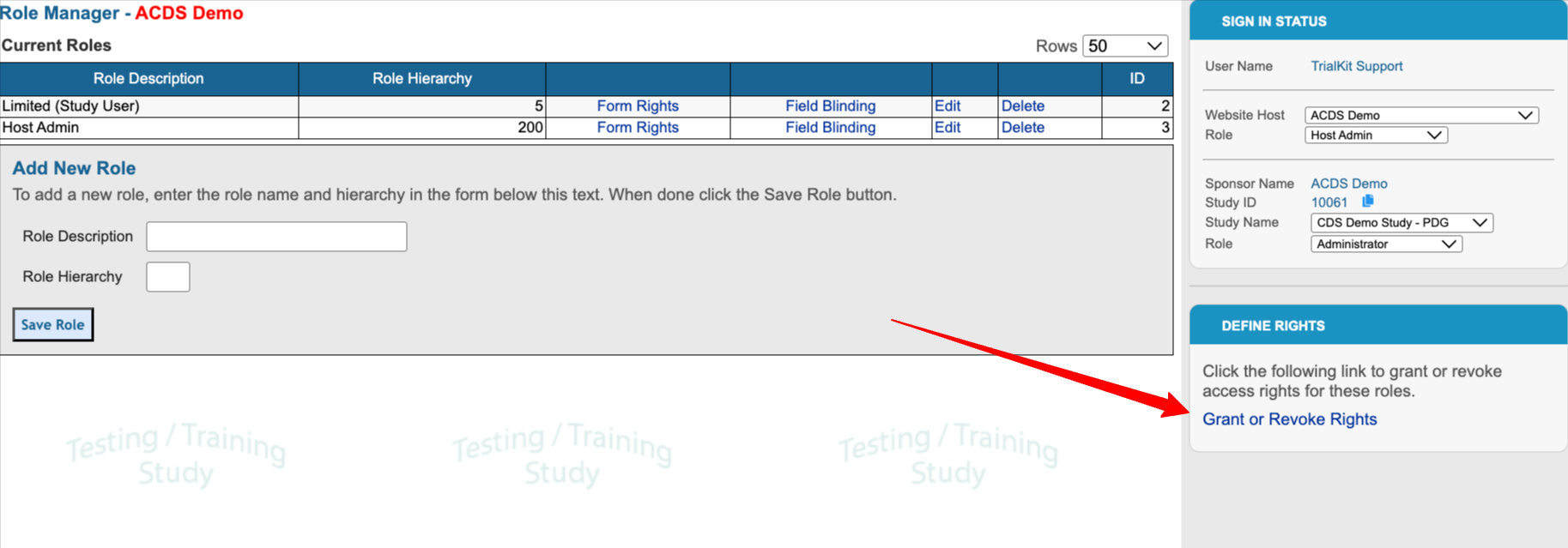
To modify the permissions associated with each role, use the link at the right side of the screen:
To learn about Host-level form permissions and field blinding, read here.