How To Sign In As a Study Participant
If you are participating in a study, you should have received an email link or directions for accessing TrialKit and
If you did not receive this information, please contact your Study Coordinator. You can also use the "Forgot Pin" link and enter the email address that would have been used during registration.
Signing In
Open the URL participant.trialkit.com
On the sign in screen type the Pin code that you received in your email or from your Coordinator.
Recommended: Download the mobile app for easier access in the future
.png "image(311).png")
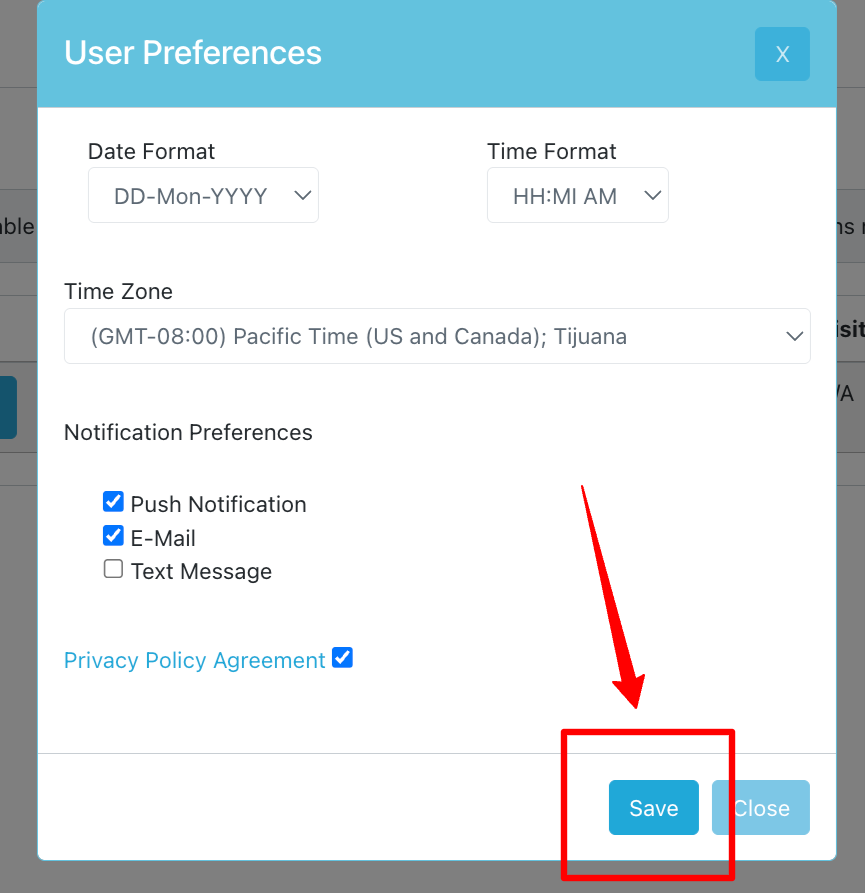
User Preferences
When signing in for the first time, you will be prompted to confirm your detected timezone and preferred date format. This prompt will continue until it is set.
This is where notification preferences can be set, including the option for SMS texting. By default email notifications will be enabled in order for TrialKit to notify about activities that come due. These notifications are not for marketing purposes.
Web | App |
|---|---|
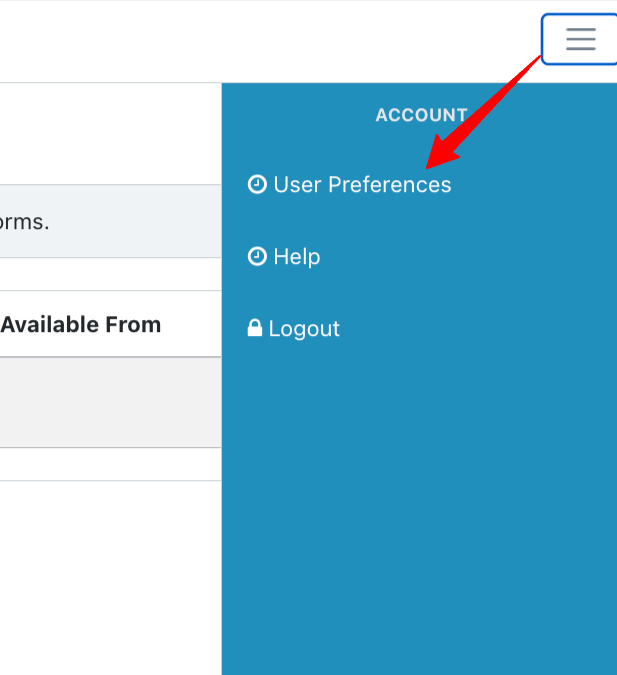
To return to user preferences later on, use the menu in the upper right corner of the home page.
|
Android:
|
.png "image(314).png")
.png "image(313).png")