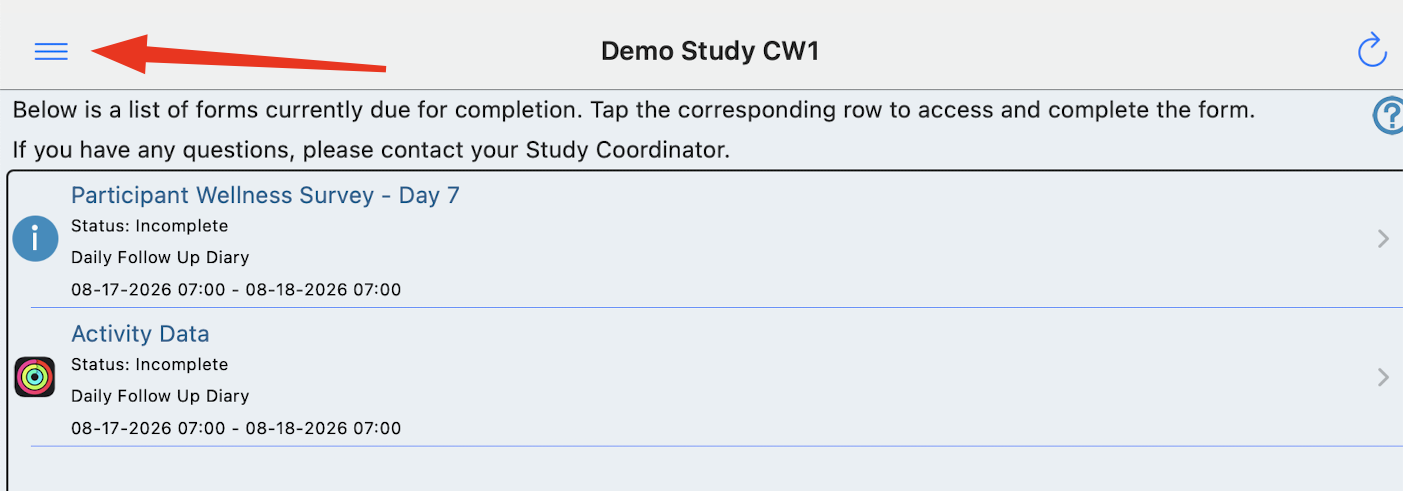
Accessing and Using Handoff Mode for In-person Visits With a Study Participant
Handoff Mode is an alternative to allow a participant to complete their forms in person. This mode locks and disables other functions of the app so a device can be handed over to a participant for completing a form or a set of forms.
Natural limitation of handoff mode
TrialKit can only prevent the user from navigating to other places within the app. It is not able to prevent users from closing the app and using the device. Use device accessibility or restriction settings on the device for added controls if necessary.
Prerequisites:
The Site user handing off the device has permission under Subject Record management, Manage Handoff Mode
The study contains ePRO forms
The TrialKit app is being used (handoff mode is not available via the web)
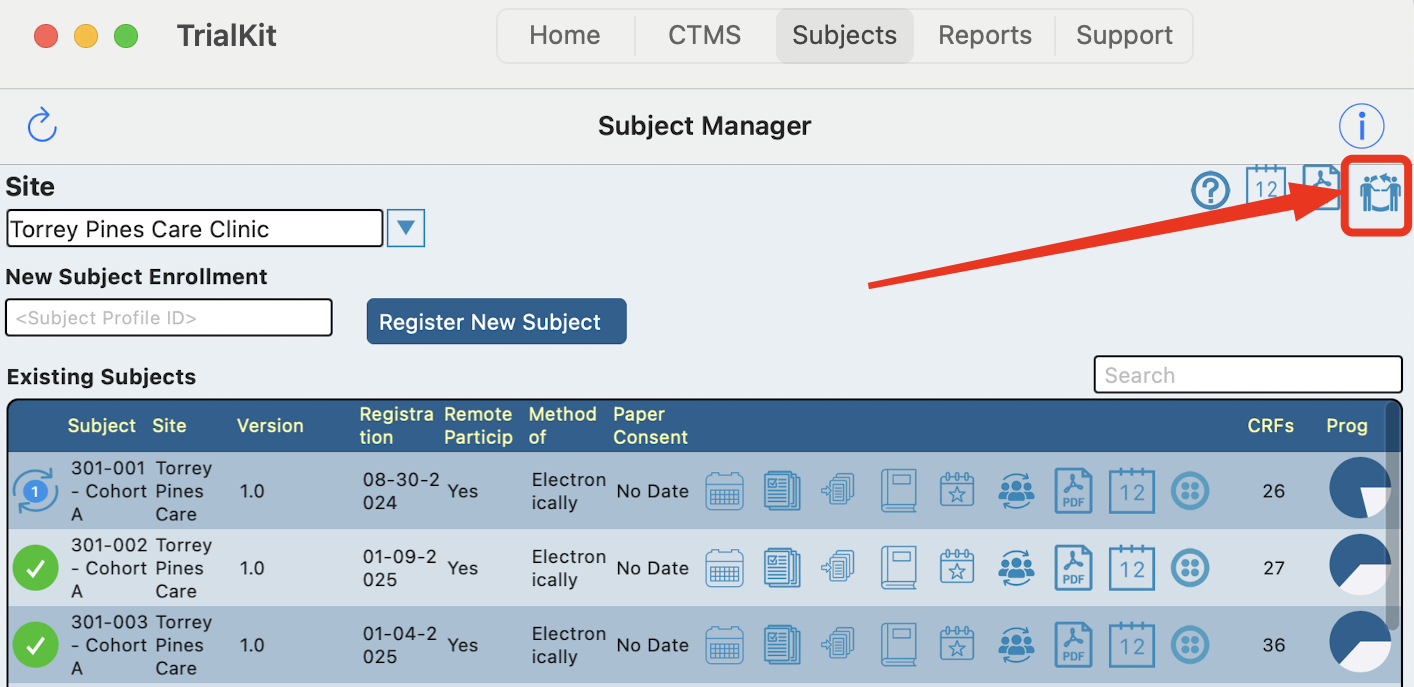
Use the Handoff icon  , found in the Subject Manager screen to open a list of subjects to choose from.
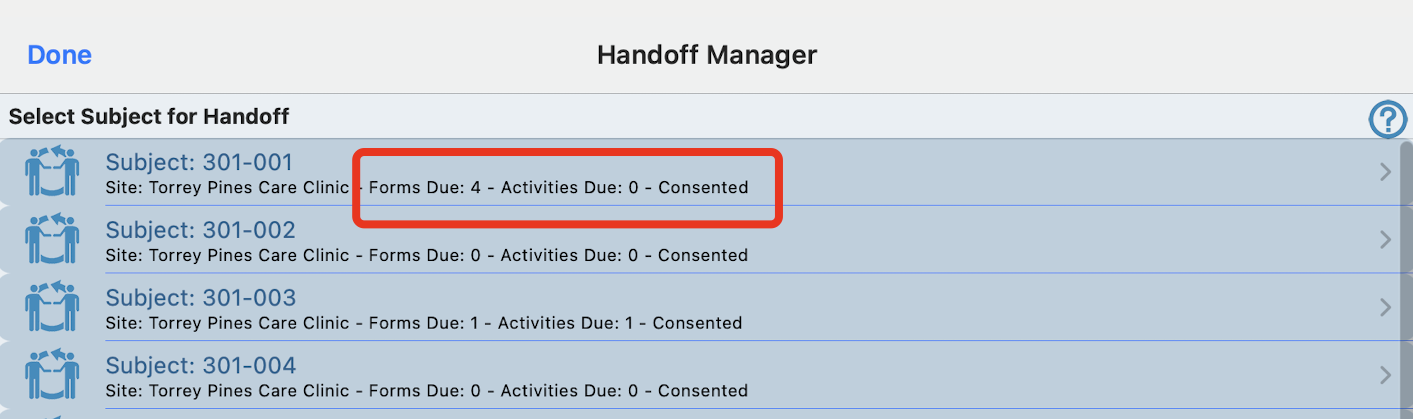
This is where the Site user should select which Participant ID the device will be handed over to.
For each Participant listed, the system will display the number of forms currently due for completion, along with their consent status if consent is being used in TrialKit.
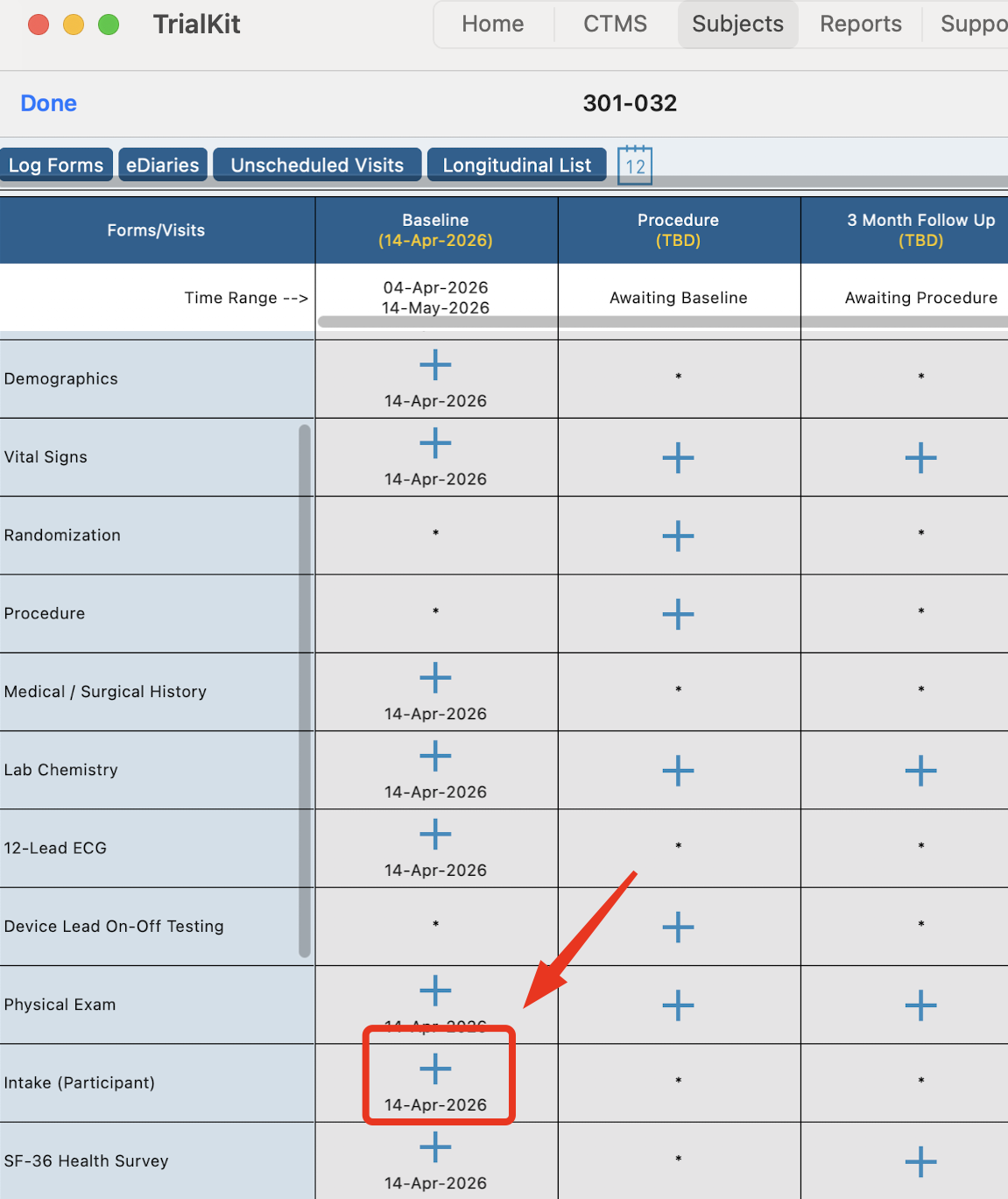
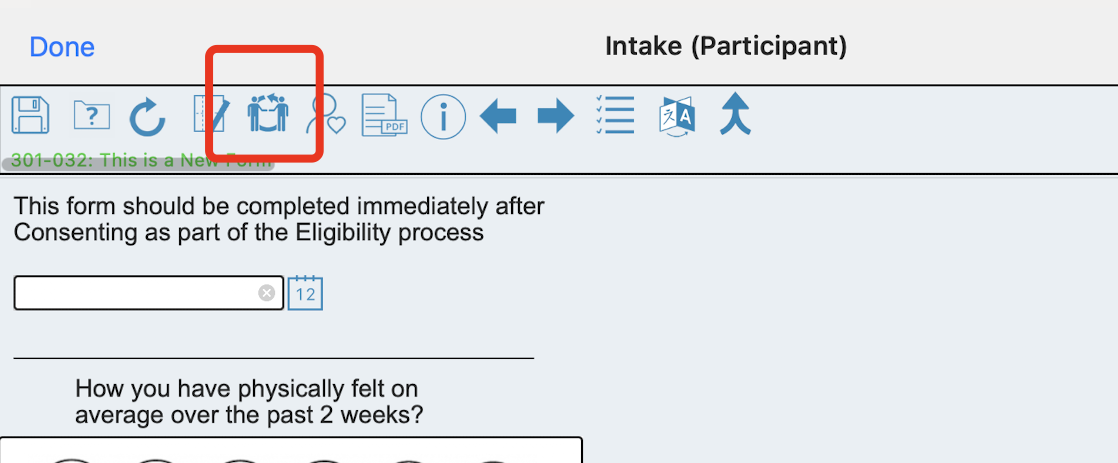
Alternatively, If only a specific form needs to be completed, the site can open the form through the normal method within the Participant casebook screen and then go into handoff mode only that form:
After the Participant is finished with form(s) and the device is handed back to the Site user, tapping the menu or Done button will require the Site user to sign back in and continue navigating within the app.