TrialKit changes the definition of an eClinical system with it’s AI tools that bring game-changing efficiencies to the forefront. Crucial Data Solutions has implemented AI into the framework of TrialKit - teaching a central model all about how the platform works.
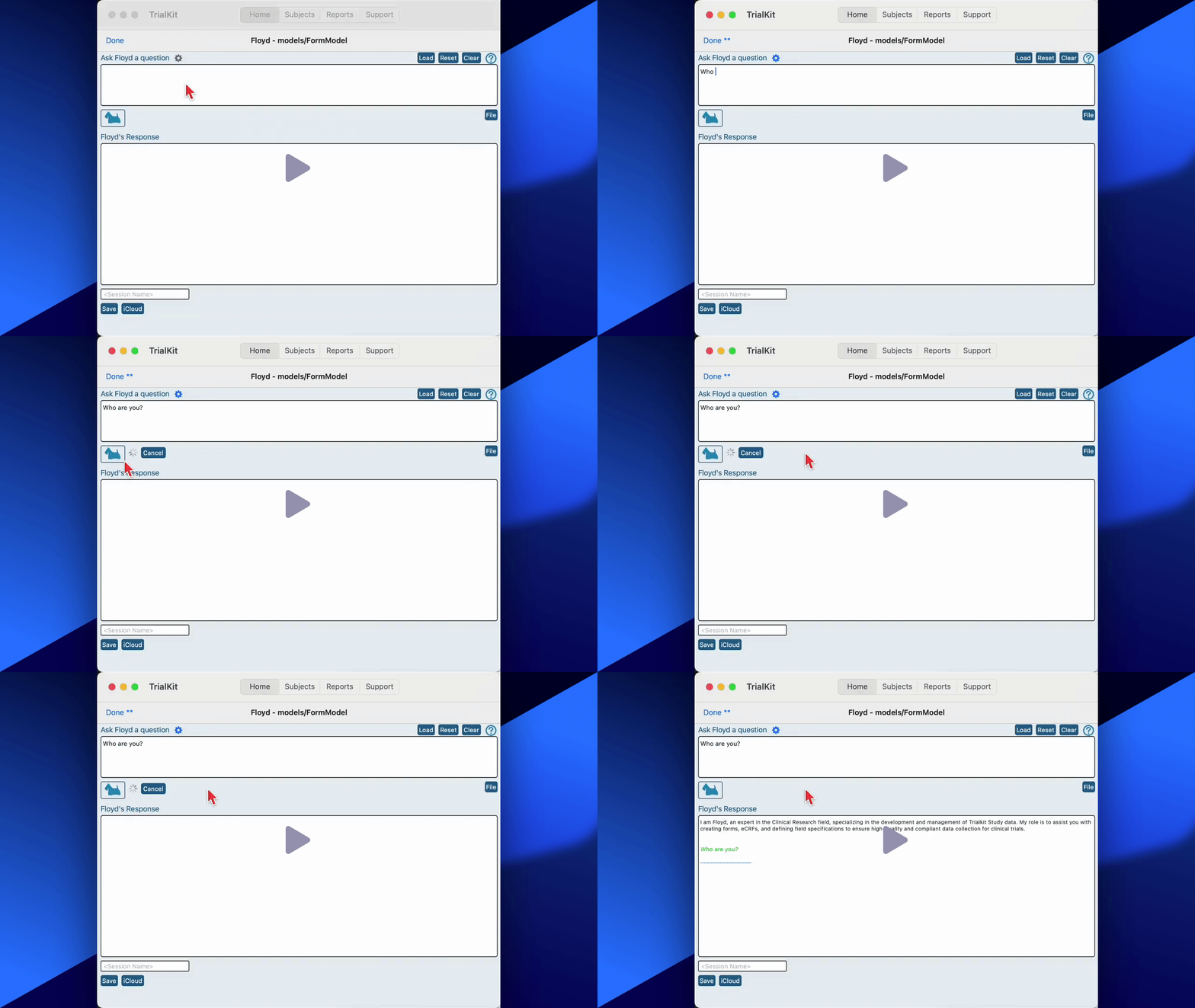
TrialKit’s AI model is named Floyd.
Floyd comes to the table already knowing how to build any form you ask for, including edit checks and conditional logic.
There are a few important areas of TrialKit where AI is already helping study Teams gain incredible efficiencies. Those areas include:
General AI chat
Data Analytics - Ask about any existing report’s data
Building forms
Building study visit schedules and ePRO diary configurations
Generate intelligent simulated data in a study
Study Validation
Read more about each one below.
Prerequisite
User has HOST-level access to the AI tools.
Note: Host Admin will need to approve this permission for billing purposes. If a user’s role allows them to use AI, it will incur billing as reflected in the usage report.
All AI Tools are accessible on Android, Mac, and iOS.
Mac/iOS | Android |
|---|---|
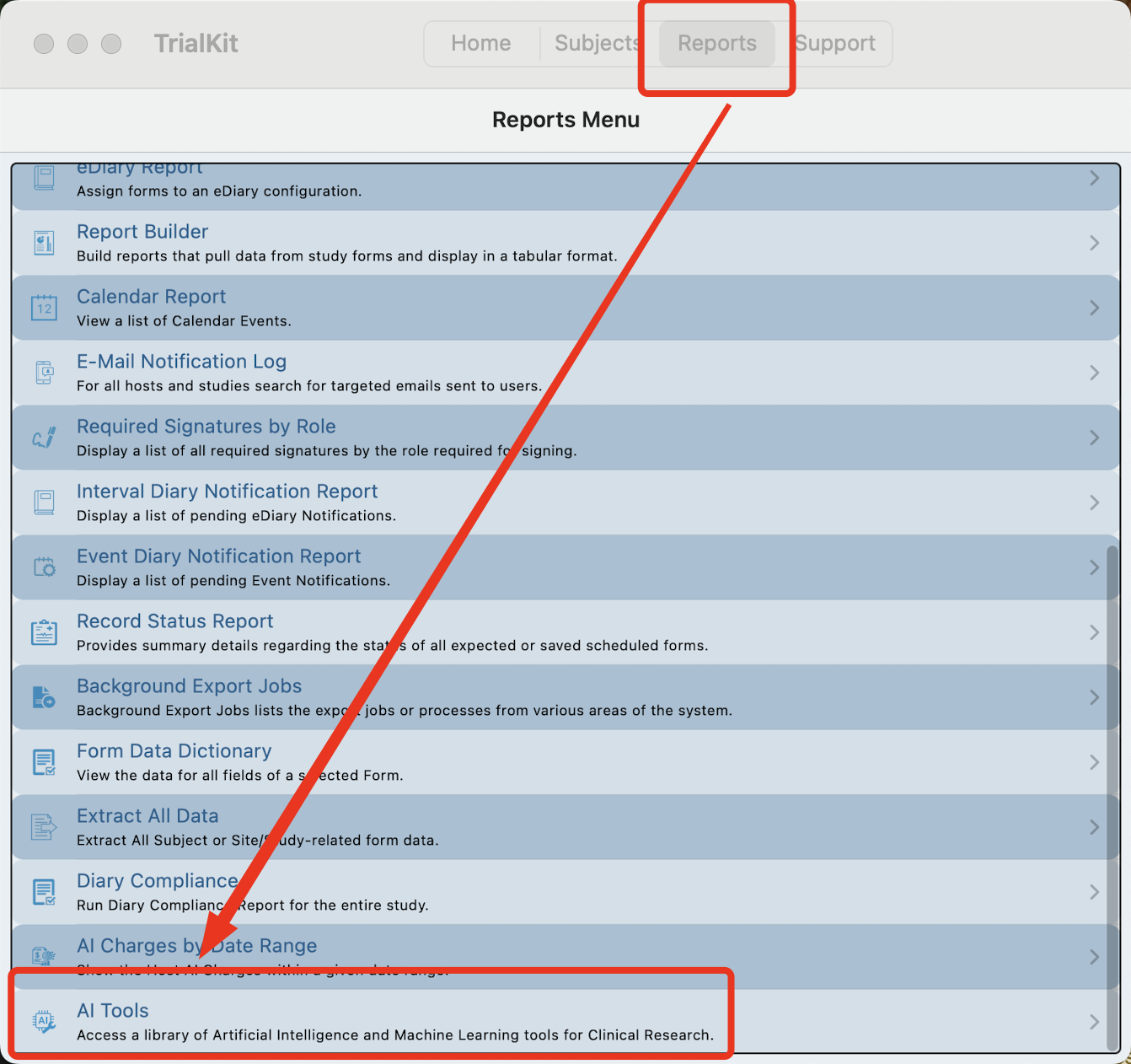
From the Reports menu:
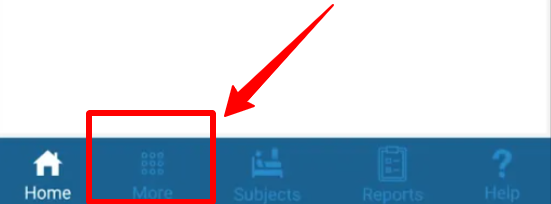
| From the main navigation bar:
|
Floyd AI Chatbot
Use this like an all-purpose chatbot, like you would with ChatGPT or other everyday AI tools. The difference is, this one is conveniently accessible without leaving your work in TrialKit.
Data Privacy
TrialKit AI does not have access to your study data unless you explicitly provide it. AI will never have access to your personal data.
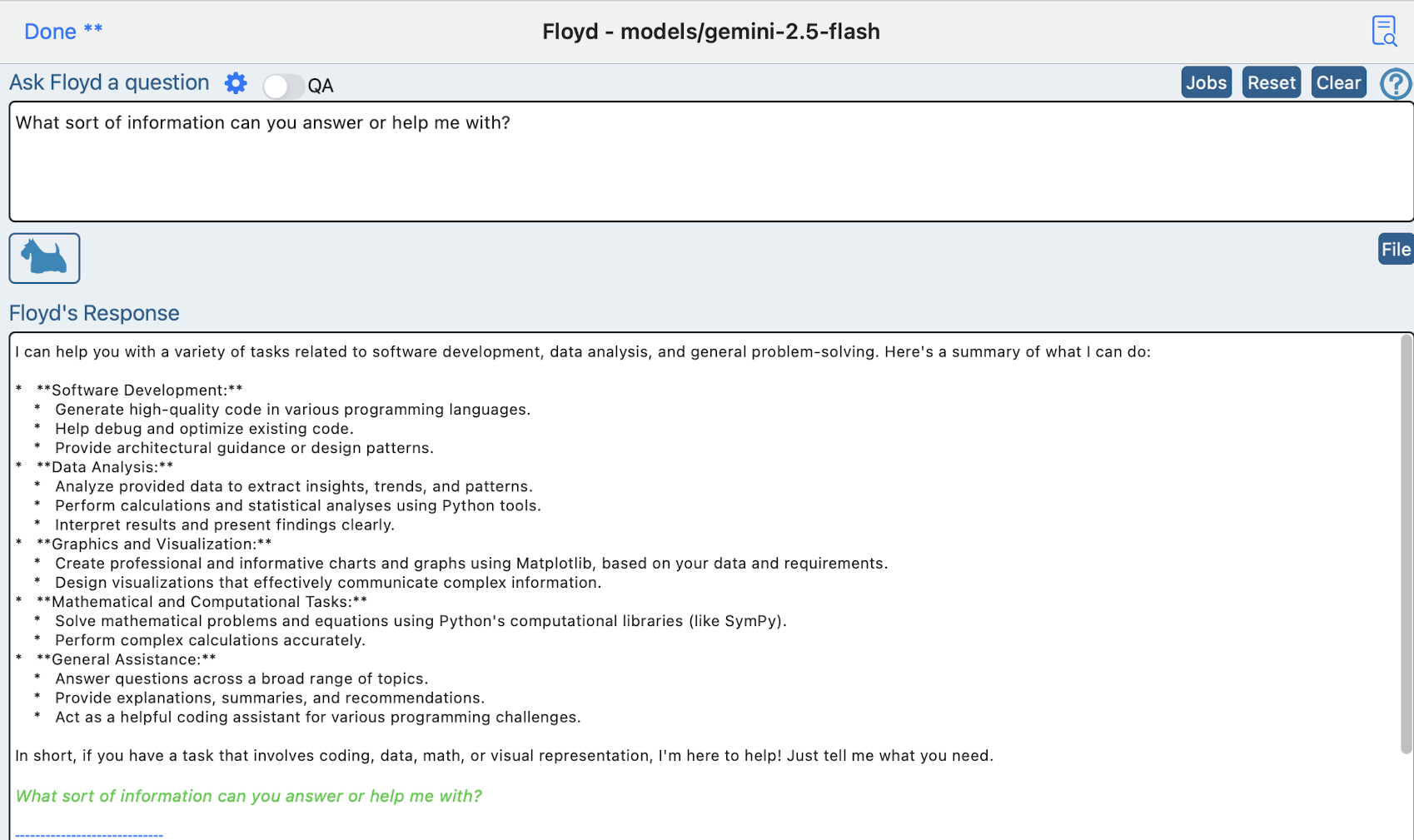
Data Analytics and Reporting
Take specific pre-defined reports from TrialKit, such as the queries report, or a customized list of data from the report builder, and send it to Floyd AI to ask any questions about the data or generate visual representations.
Building Studies
Floyd can build studies, either from scratch with only a summarized sentence stating the objectives and area being studied, or it can build forms and study structure from pre-uploaded PDFs of the protocol or forms.
Generate Simulated Study Data
Automatically generate data in a study that considers the context of the protocol and rules of each data variable.
Study Validation
After data has been generated, Floyd AI documents that data and each rule that it crossed along the way. Produce reports about the data that as stored and why the data was entered the way it was.
View AI Usage and Costs
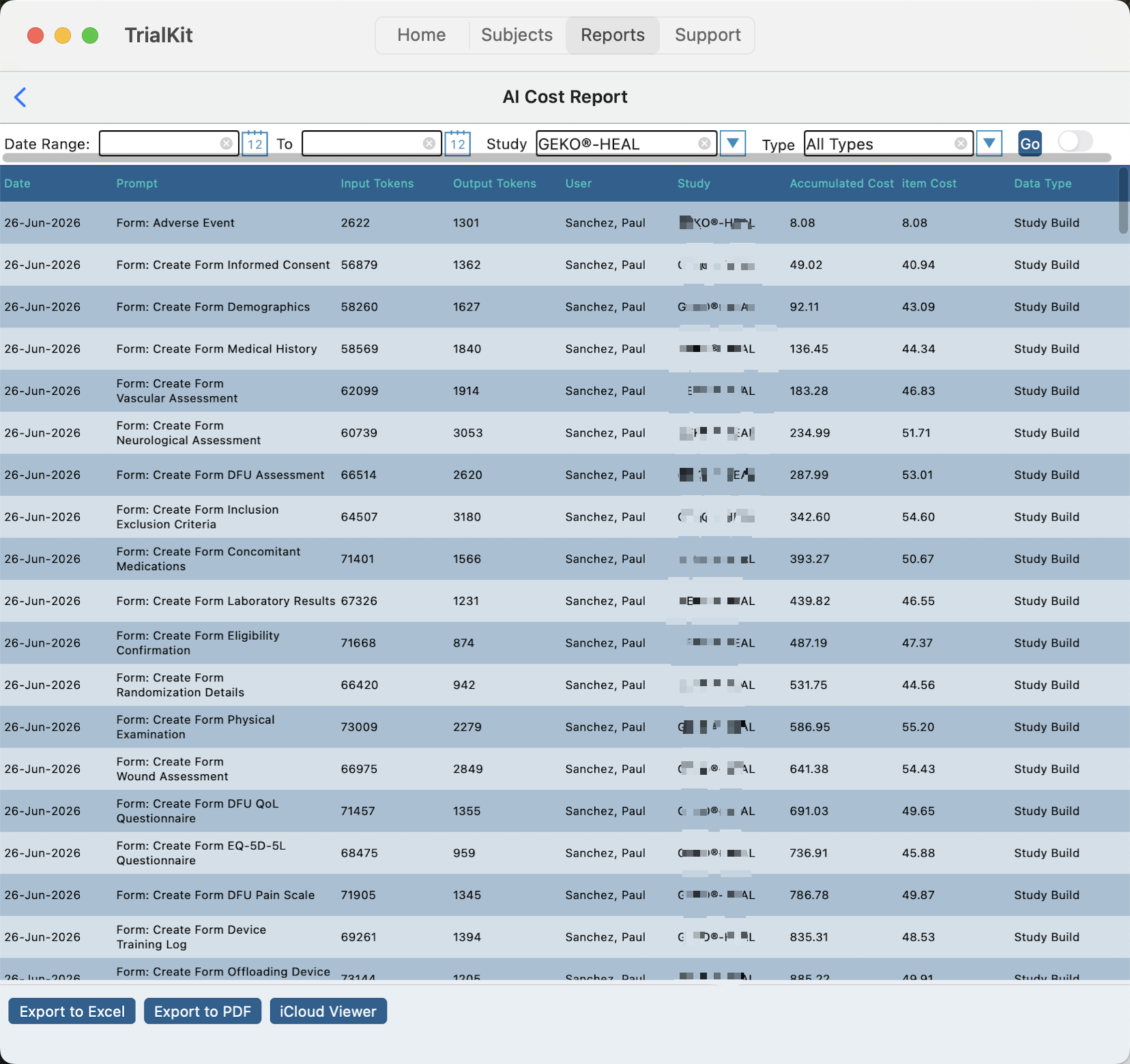
A convenient report allows you to reference your costs generated though the use of AI tools. These are costs that get billed monthly based on usage.
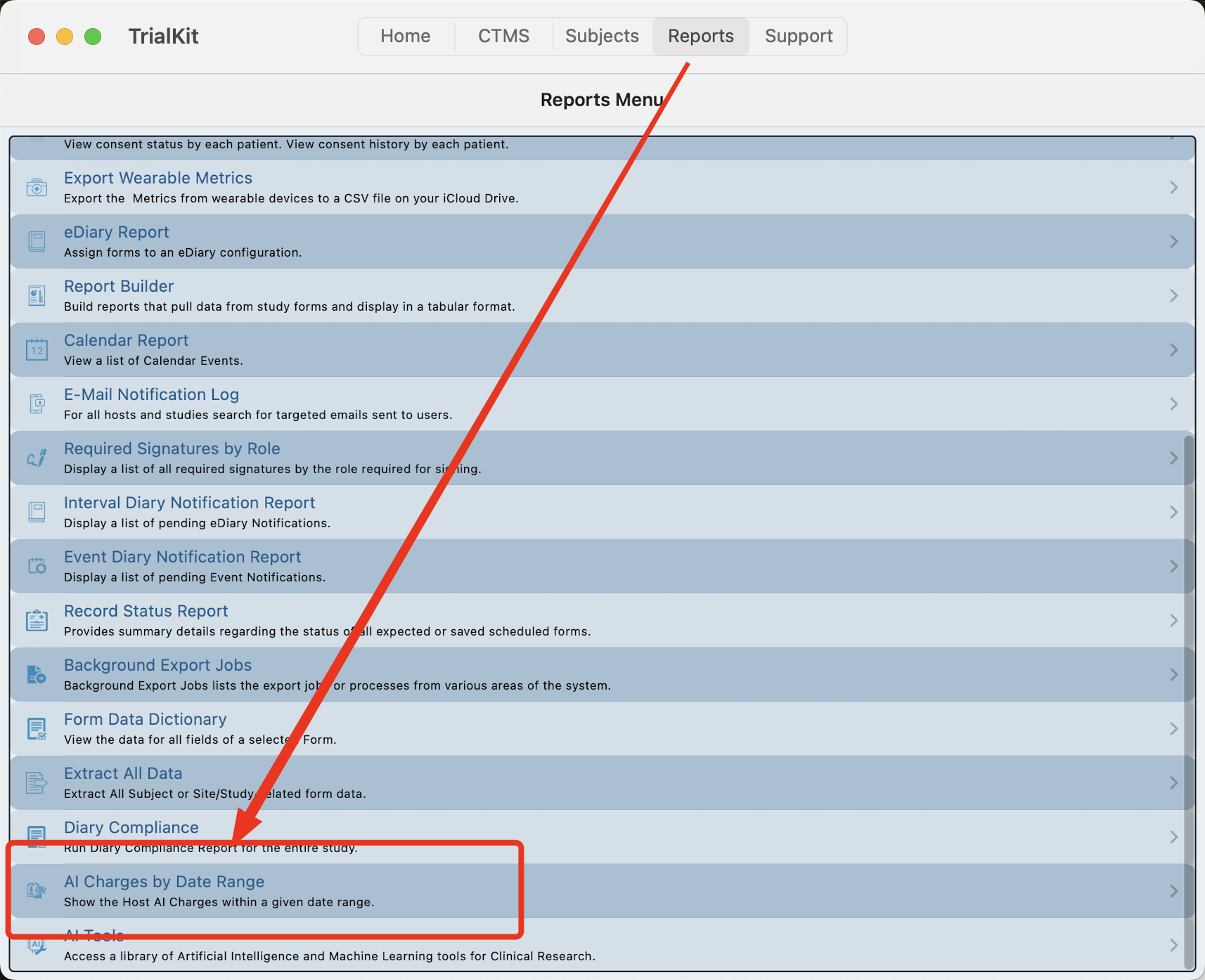
From the resulting report, check the token usage across all studies on the current host, based on the type of usage.
In this example below, we see several forms being created using the study building AI. By the end of the process, the study Builder saved 2 weeks of time and built 16 forms for $787.