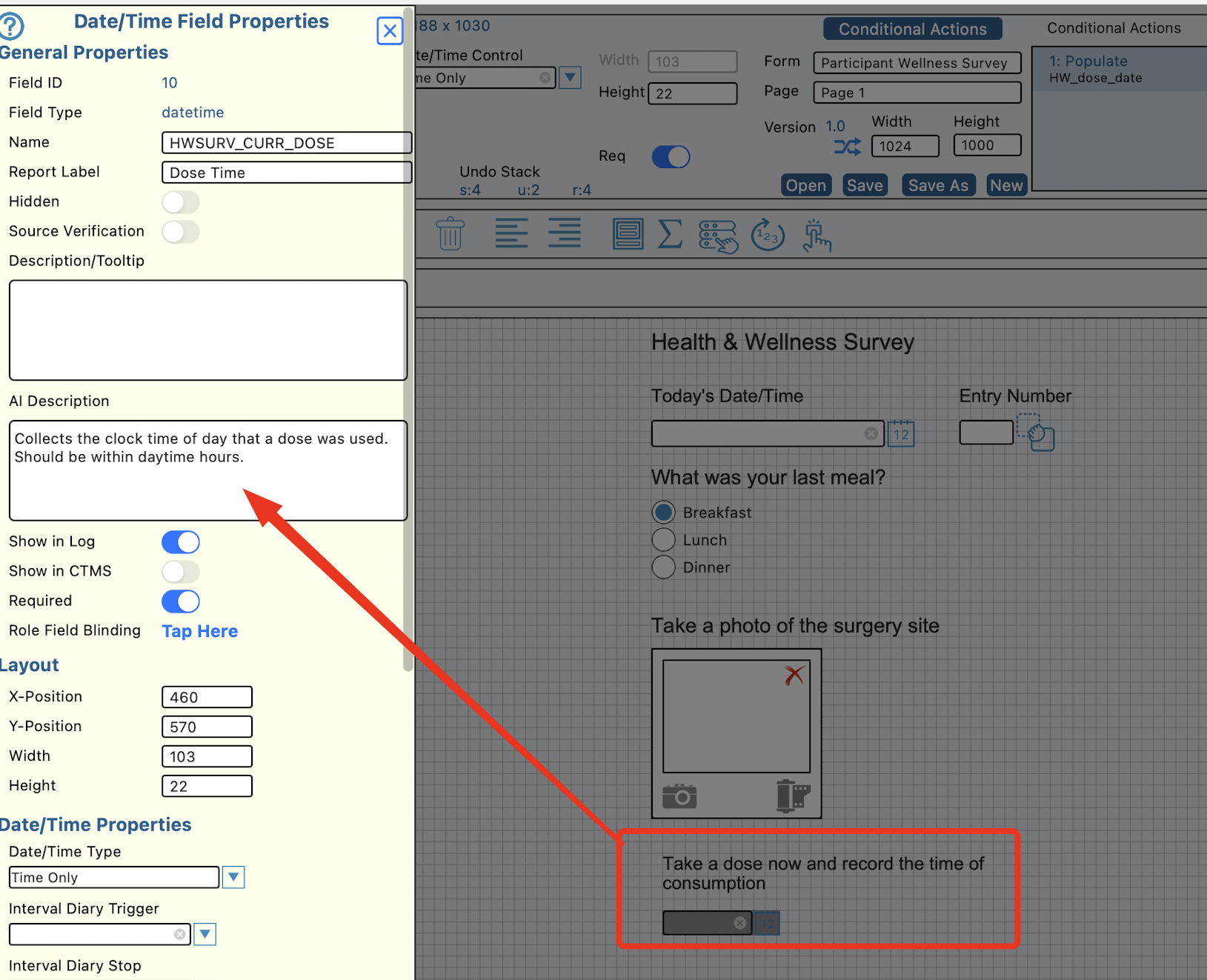
TrialKit AI has been trained on how forms are built, how studies are structured, and how data is identified and stored. Based on that, it is able to generate data intelligently for a study. Additionally/Optionally it can be tuned specifically to each study based on inputs from the protocol and both form-level and field-level definitions.
This can be done on a per visit basis as a valuable tool for testing how the data will look after the study has progressed, and for validating the study database per quality-centered processes.
Accessing the data generation tool
Currently only available via the Mac desktop app or the iOS mobile app. Coming soon to the web.
AI data generation is a permission that must be granted at the host level to the necessary role. Normally, this would only be the Administrative role.
With that enabled, the AI tools option on the home screen of the app will give the option:
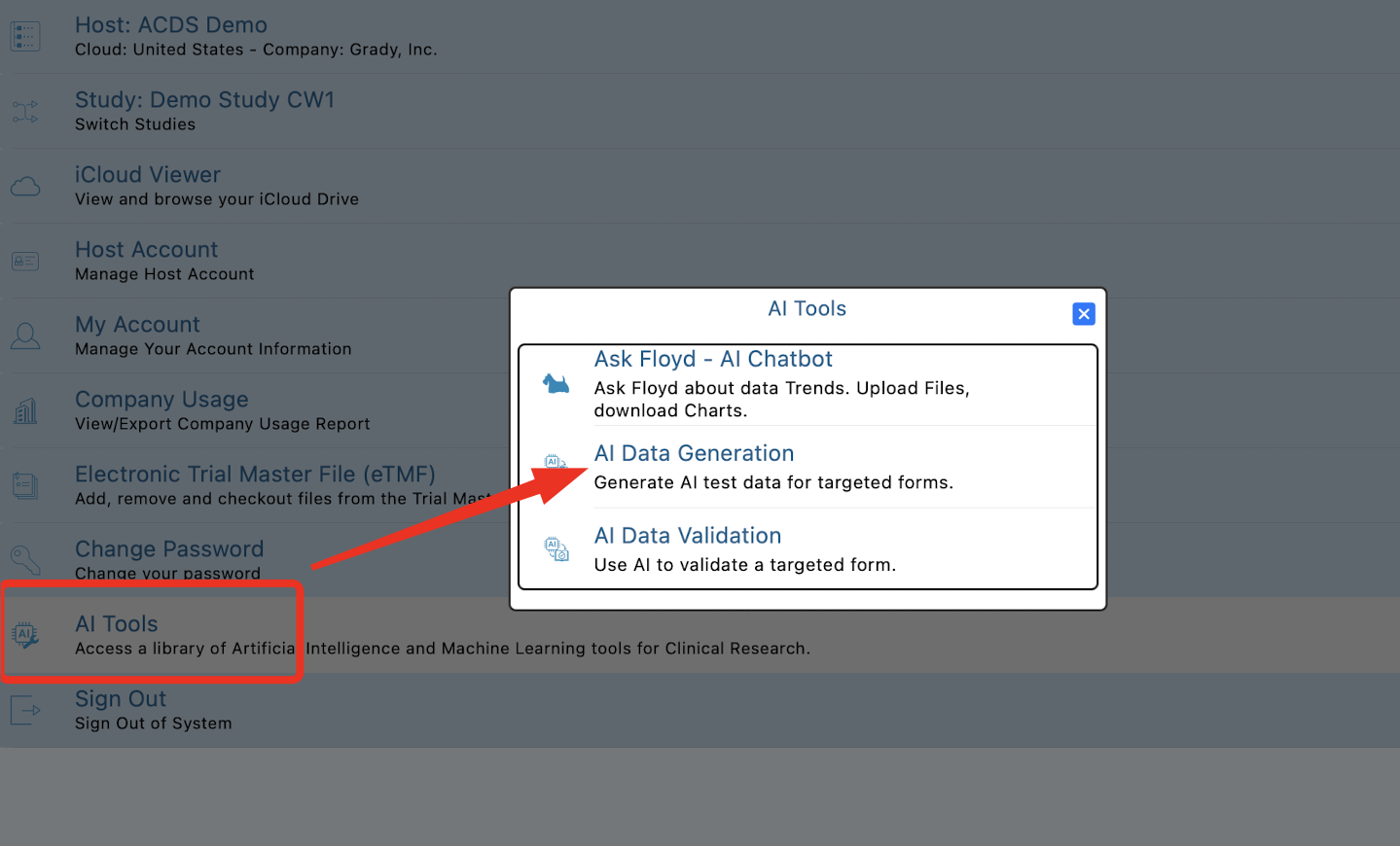
This will open to a simple form for defining a new data generation job, and a table of past jobs that have been run.
Generating Data
Data must be generated on a per visit basis based on the type of forms that are possible in all studies at the subject level: Scheduled forms, Unscheduled forms, and Log forms.
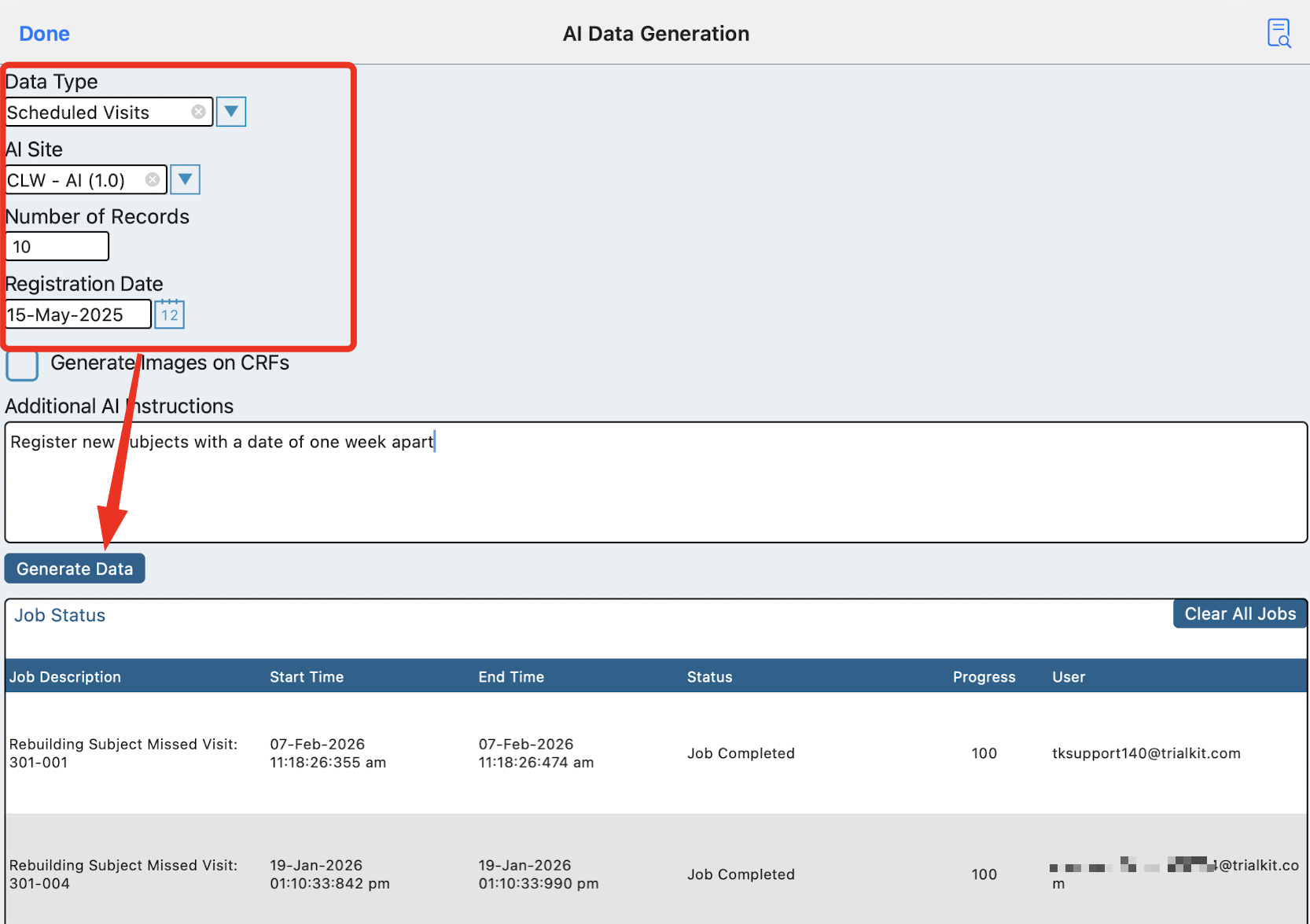
To generate data for the first time in a study, it must be done with Scheduled visits, to create the new subjects and populate their scheduled forms. To do this, select Scheduled visits like below. Also select which site to generate the data in. Data generation must be done in AI sites only. Read more about site types here.
The date of registration will be the date used on each registration record as the starting date for the subjects. Based on that, it is normally best to create subjects in small batches (10 or less), then modify the date and add a few more.
ePRO studies
If the study is an ePRO study, AI will generate email aliases for the Participants in the format of SiteID+sequence@trialkit.com
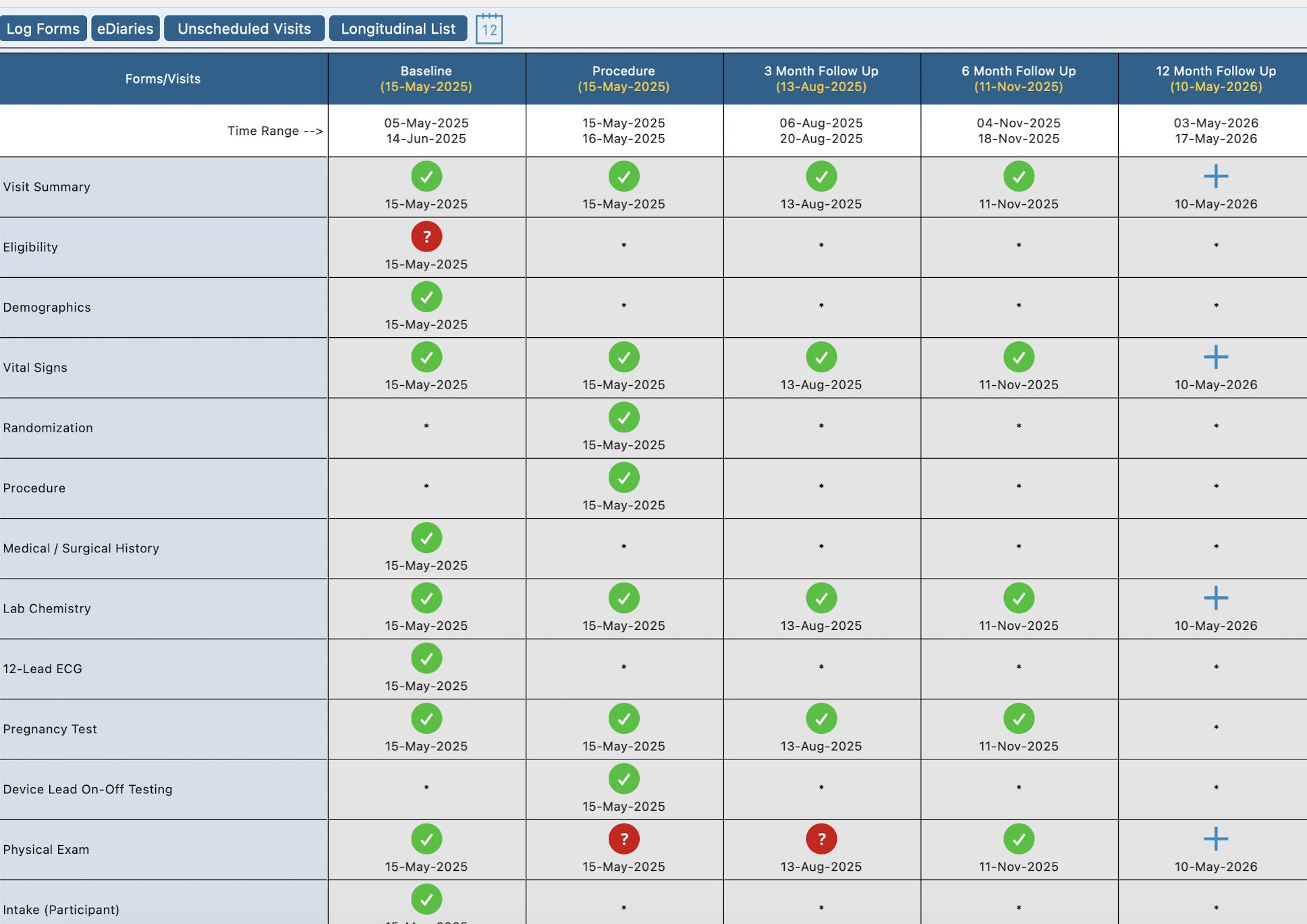
Here is an example of a casebook that was automatically generated for one of the subjects. Notice that the last visit was not filled out because the date range is in the future, based on the date the data was generated.
Making AI Smarter Per Study
Throughout the building phase, there are areas for the study Builder to help guide AI on specifics/expectations of the data. While this is an optional step, it can be very helpful for quality data. Context is important when data is collected. These definitions can be modified over time as data is reviewed and adjustments need to be made.
Study level AI training
In the Study Manager, copy and paste a general synopsis from the protocol. This gives AI some context about the data that is being collected.
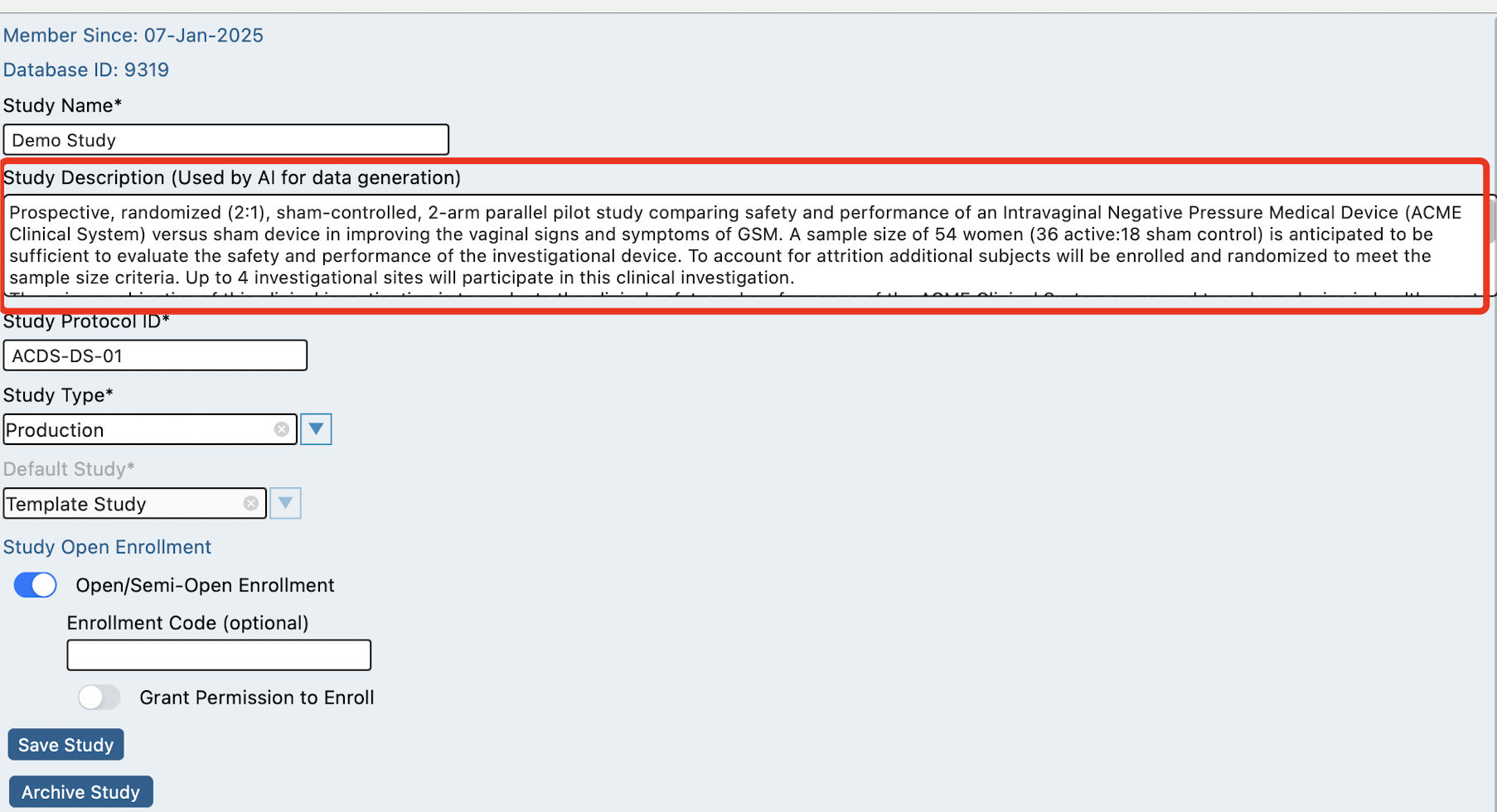
Form level AI training
When building forms, give a brief overview of what purpose the form serves. This is done within the form properties, for each form.
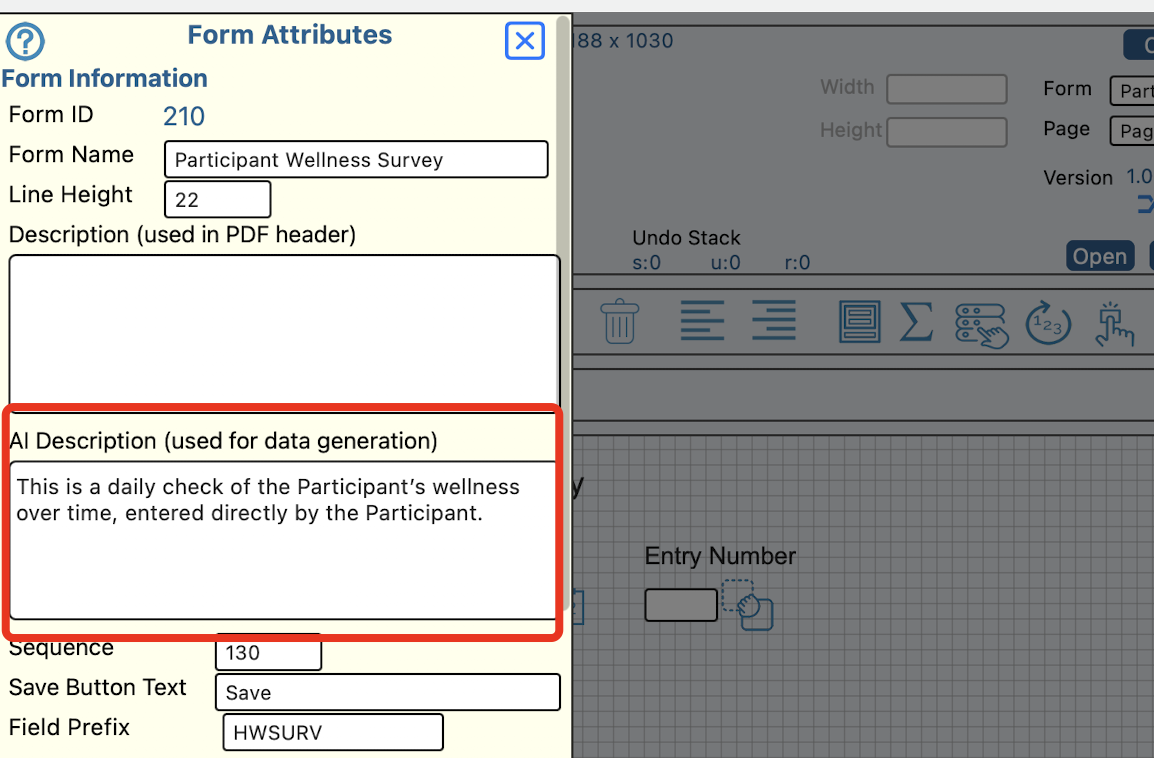
Field level AI training
If any unique rules need to be specified on a per-field basis, use the field properties to provide AI with that context.