TrialKit version 8.5 - August 2026
This release brings several highlighted features described below and many other improvements and bug fixes. Scroll to the bottom for the exportable full release notes.
Full Rollout by August 23, 2026
Help Us Grow
🌱 Scan through the Updates below and let us know how we’re doing with new features, or to let us know how TrialKit has helped you. Your honest review on G2 will give us the feedback we need to make TrialKit better for building and conducting powerful studies.
Highlighted Features In This Release
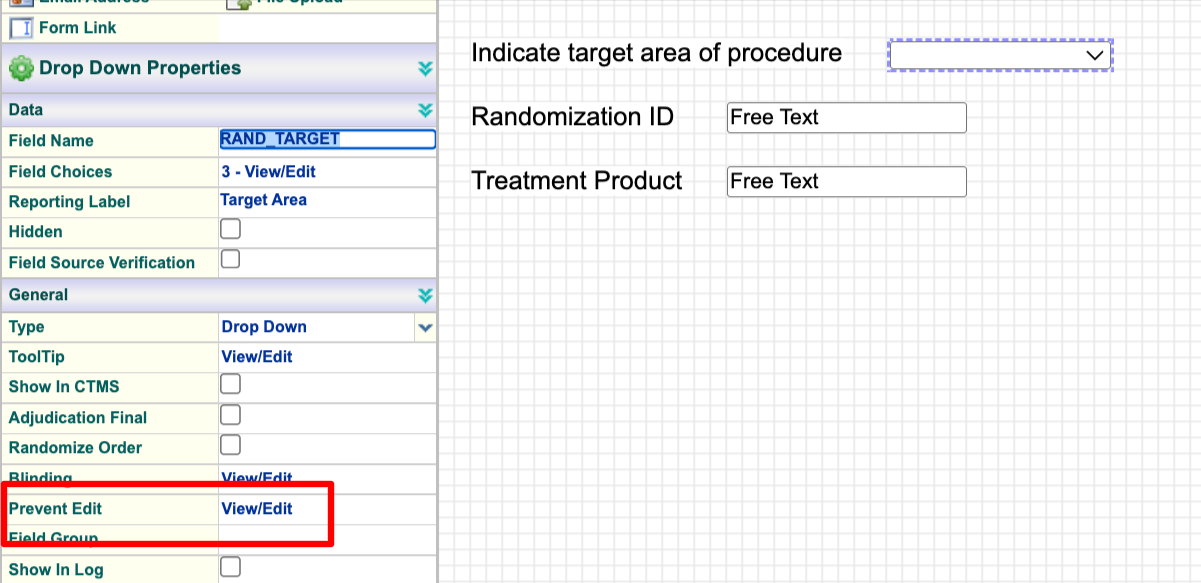
Field-Level Option To Prevent Editing
Editing permissions were previously limited to the form level. Now fields can be individually set to prevent specific user roles from editing. By default all users with form edit permissions will be able to edit all fields.
AI Usage Report
For Hosts that leverage the new and powerful AI tools, there is now a report to show token usage and applicable costs.
Rerun Lab Ranges (Central Form Saving)
Study Admin users can now centrally resave forms across an entire site without the site staff doing it one form at a time. This is sometimes needed for functions that are triggered when a form is saved, such as lab ranges being run, randomization being triggered, or product inventory getting dispensed. Normally these functions would only be necessary to run Administratively if a configuration was changed and needed to be applied to existing data.
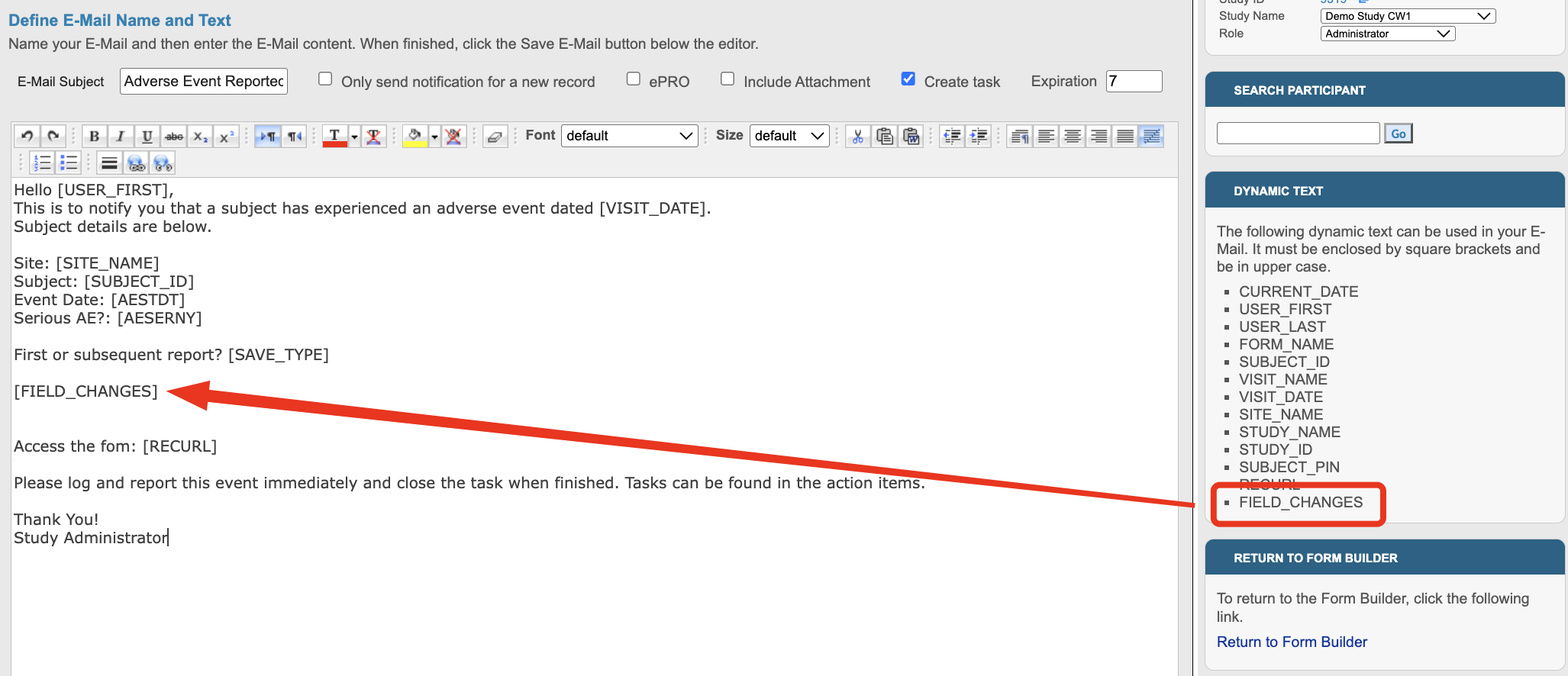
Include Field Changes In Email Notifications
The email dynamic content can now include a list of the changes that occurred for re-saved forms. This helps recipients see what changed without needing to open the form and look at the form history.
Print CTMS documents to PDF
The CTMS now allows for easy PDF exporting of site and study documents, along with the audit history.
Improvements to Consent PDF Viewing
When site consent documents are linked within a consent form, TrialKit is now smarter about how it displays this, both across multiple study versions, and in the exported PDF. Users will now see it embedded within the signed consent form as one full document, and the version will be used based on date of signature, rather than being only based on the Participant’s current version.
Other Worthy Mentions
Rerunning Edit Checks Now Includes an option for Re-Populate actions
The save button for existing forms on the web is now labeled more clearly as “Save Changes” so the user can differentiate between initial saving and re-saving.
Download Release Notes ⬇️
Tap the link below to download the Excel report of all changes/details for this release. Note: The final release notes are subject to minor changes up until the date of the release.
Impact Considerations
Impact ratings can be found within the release notes for each change. Any changes that have potential to impact study configurations, expected existing behavior, or changes to common user navigation will be highlighted here.
Minor: The text label on the form save button in the web for already-saved forms is now labeled as “Save Changes”