TrialKit version 8.6 - September 2026
This release brings several highlighted features described below and many other improvements and bug fixes. Scroll to the bottom for the exportable full release notes.
Full Rollout by September 27, 2026
Help Us Grow
🌱 Scan through the Updates below and let us know how we’re doing with new features, or to let us know how TrialKit has helped you. Your honest review on G2 will give us the feedback we need to make TrialKit better for building and conducting powerful studies.
Highlighted Features In This Release
Revamped Form Builder 🏗️
This release has a big focus on installing new precursor framework to make way for an all new form building tool! This will be made available as Beta in the next Web and Android Release, with the goal of helping unify and highly improved form building experience across platforms. Here’s a sneak peek:
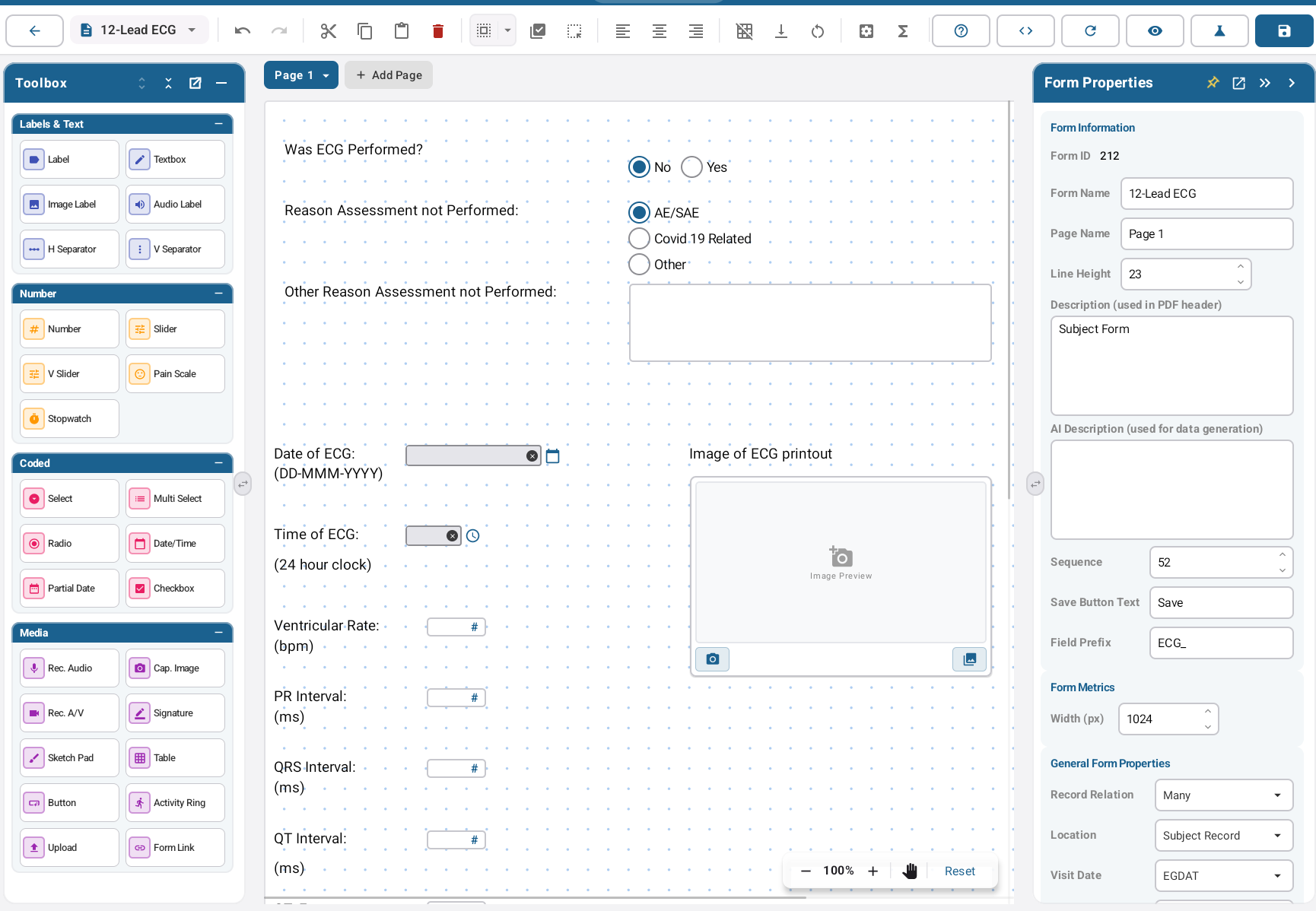
Targeted Device Forms In Web Form Builder
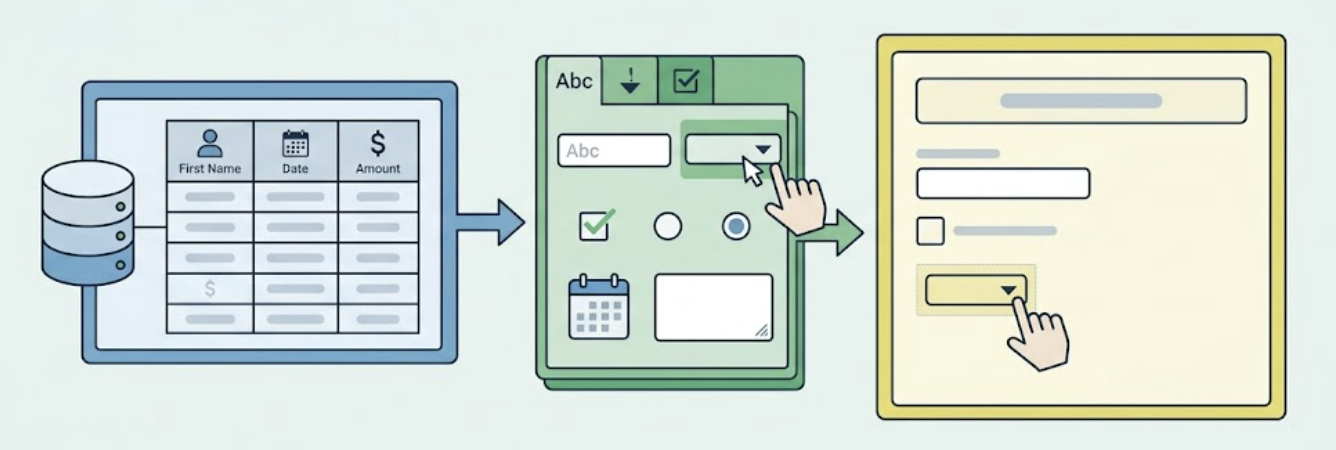
Up until now, only the App-based form builder tool could be used to build child/targeted forms. Now this feature can be fully managed from the web.
New Patient Tracker Report
A new report is available to provide an overview of each Participant’s status in an exported Excel format. This is helpful for Study Managers to check data cleanliness. This new report can be accessed from the Study Progress Report.
Enhanced Inventory Management
For studies that use IP tracking function, the Inventory Manager on the web has an improved interface and makes filtering/searching much faster.
Participant Web Portal Form Corrections
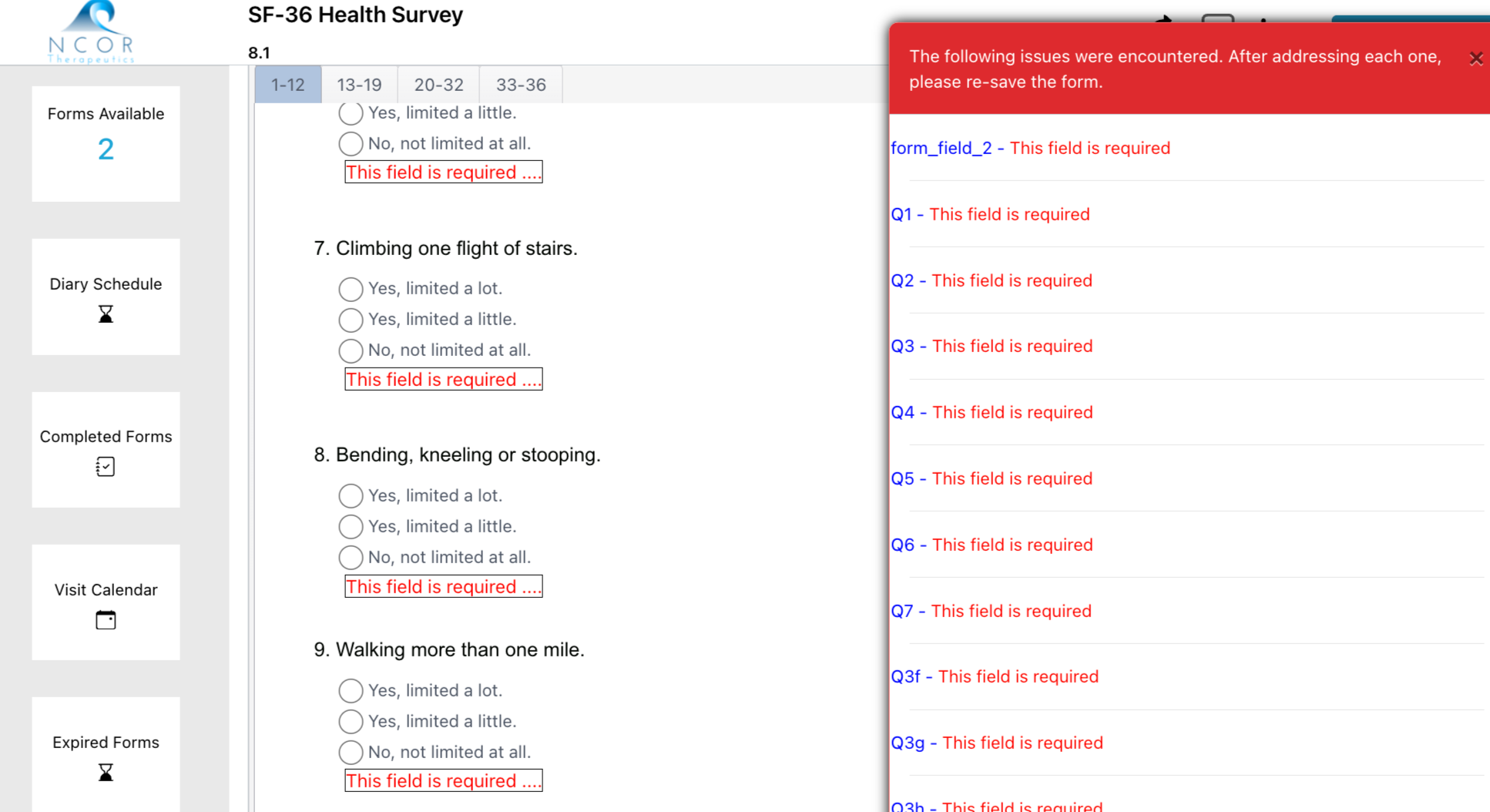
Participants who fill out a form on the Participant web portal, where errors or missing fields are flagged, will now more easily be able to navigate the errors rather than scroll through the form to search for the issues.
Other Worthy Mentions
The API now allows external integrations to get specific form URLs to share in integrations for directing end users to a specific subject/form.
Strengthened system checks for consent signatures to ensure device level issues do not lead to signature loss.
Download Release Notes ⬇️
Tap the link below to download the Excel report of all changes/details for this release. Note: The final release notes are subject to minor changes up until the date of the release.
Impact Considerations
Impact ratings can be found within the release notes for each change. Any changes that have potential to impact study configurations, expected existing behavior, or changes to common user navigation will be highlighted here.
Signature fields are now visible to all roles, even when not assigned.