TrialKit version 8.0 - December 2025
This release will bring several several new features, improvements, and bug fixes. In addition, based on the volume of minor updates done over the past two years, this version is being incremented to a new major version number.
The purpose of this new major version is to revalidate the platform, in connection with our commitment to quality standards.
All applications rolled out by December 21, 2025
Highlighted Features
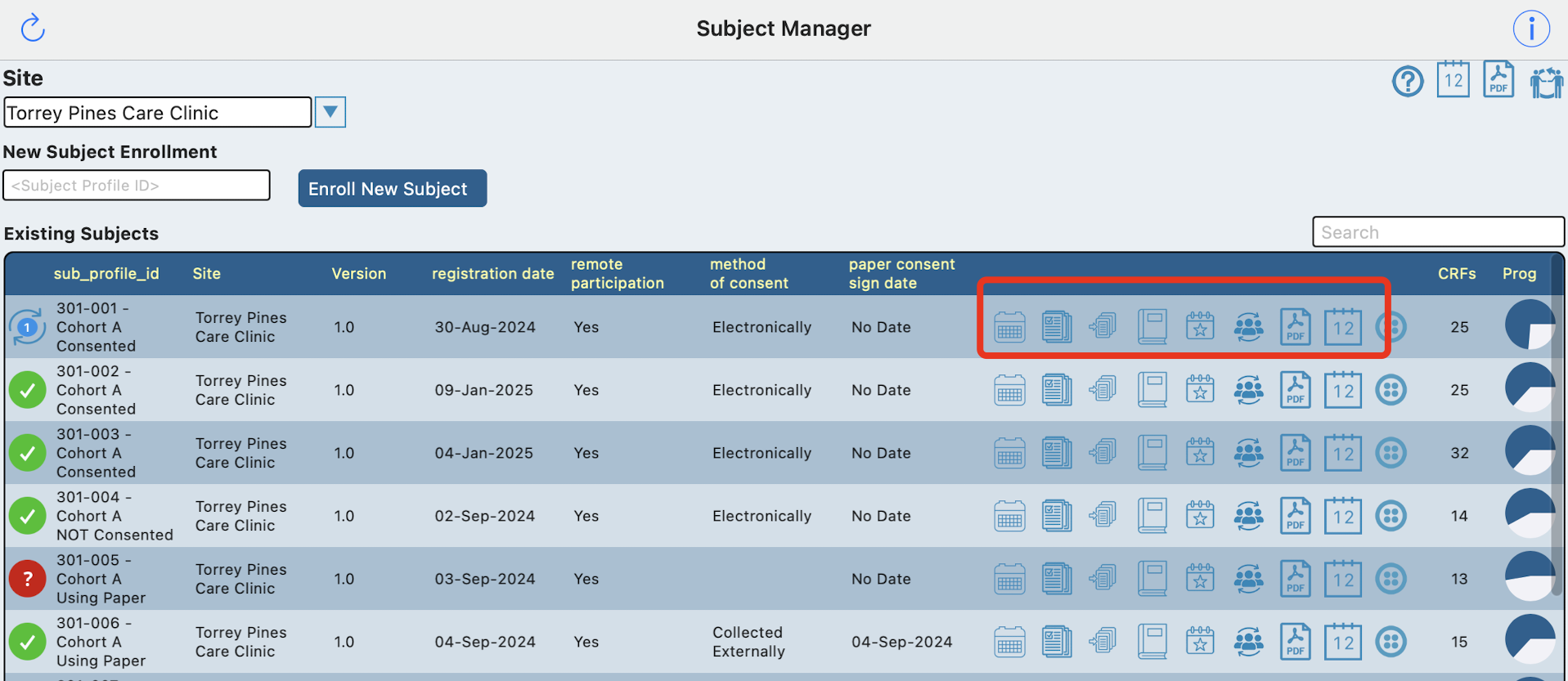
Log Tables Now Display the App
Users on Mac or iPad will now see the subject manager and log tables with more data and faster navigation options to access different parts of the subject casebooks.
Diary Reminders ⏰
For ePRO or other decentralized studies, Participants have always received notifications as diaries come due. Popular request has now taken it to the next level. Participants can get notified with reminders when their diary has not been completed by specified time windows - giving the Participant a nudge to get it done prior to expiration. For example, if a Participant has 24 hours to complete a survey, the study Manager can now build a reminder notification to go out at the 6 hour and/or 12 hour time points.
Hotkeys Within Data Entry
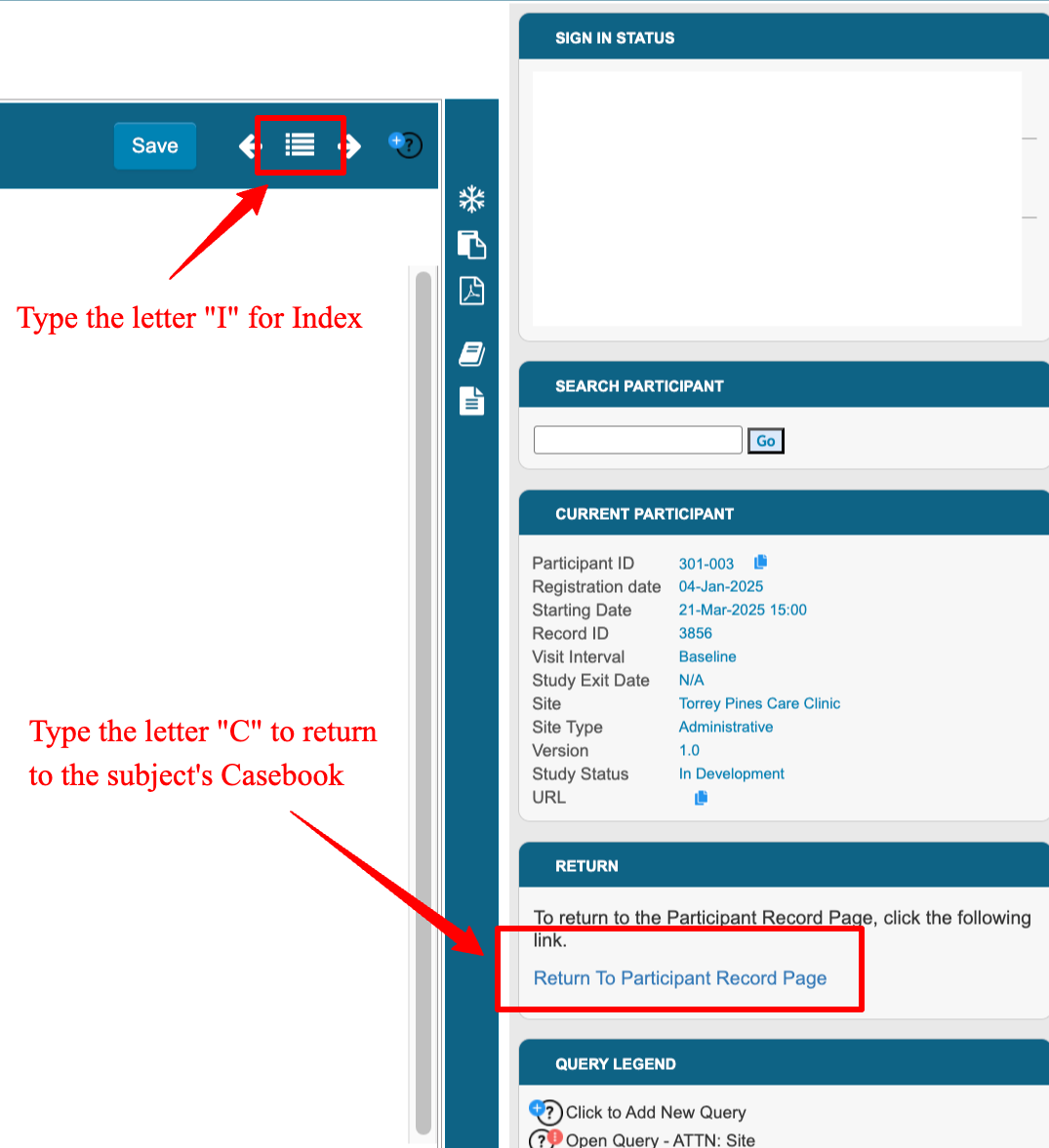
When a form is being viewed on the web, a couple hotkeys have been added to make navigation faster without leaving the keyboard.
The letter “I” will open the record index. Once the popup opens, immediately begin typing a form name to filter the list, and tap enter to apply the filter.
The letter “C” returns to the current subject’s casebook screen
Selecting Multiple Objects in the Form Builder
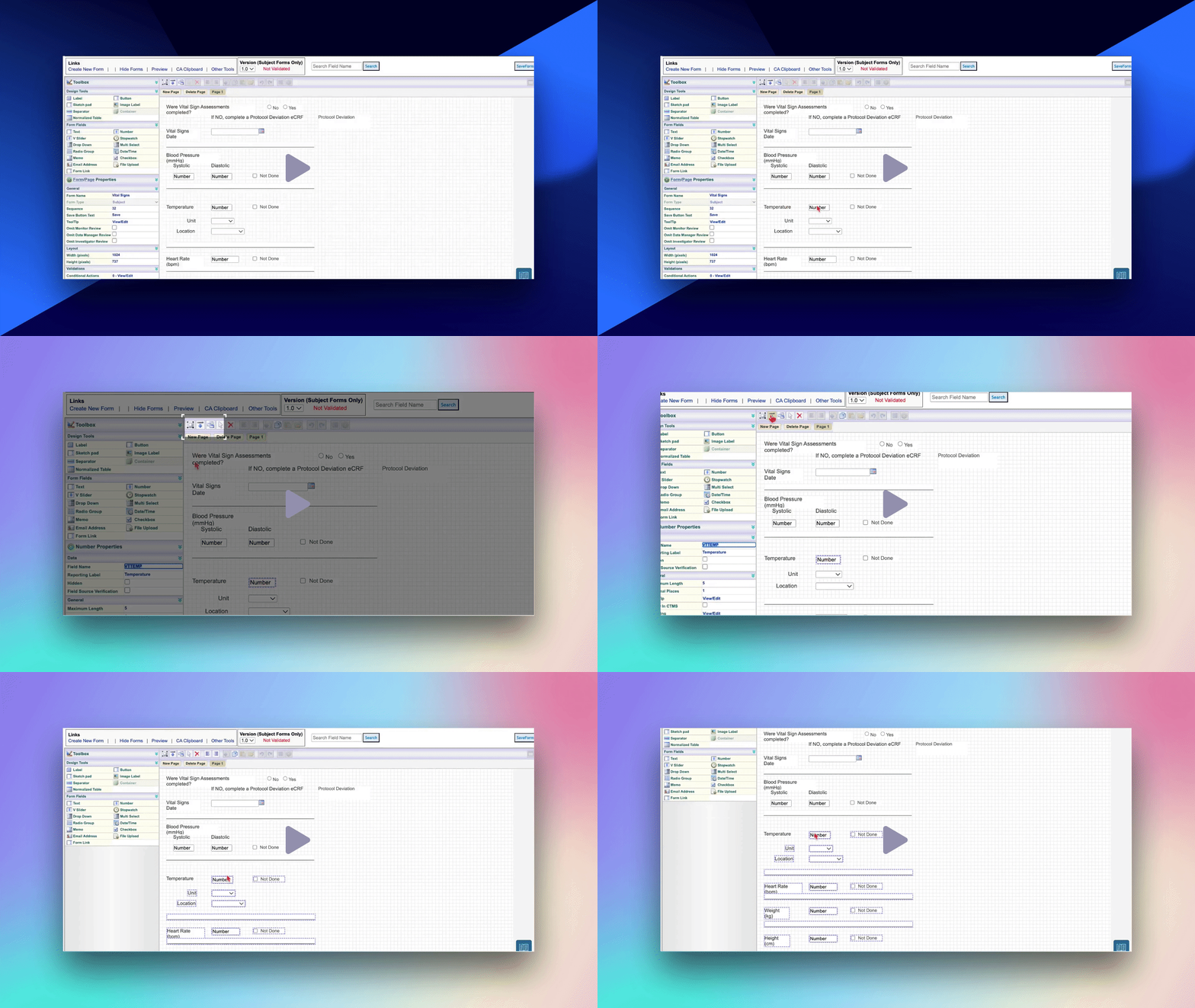
The web form builder now allows users to select an object and then quickly select everything below that object. This makes it much faster to make space in the middle of the form.
Email Notifications Report on the web
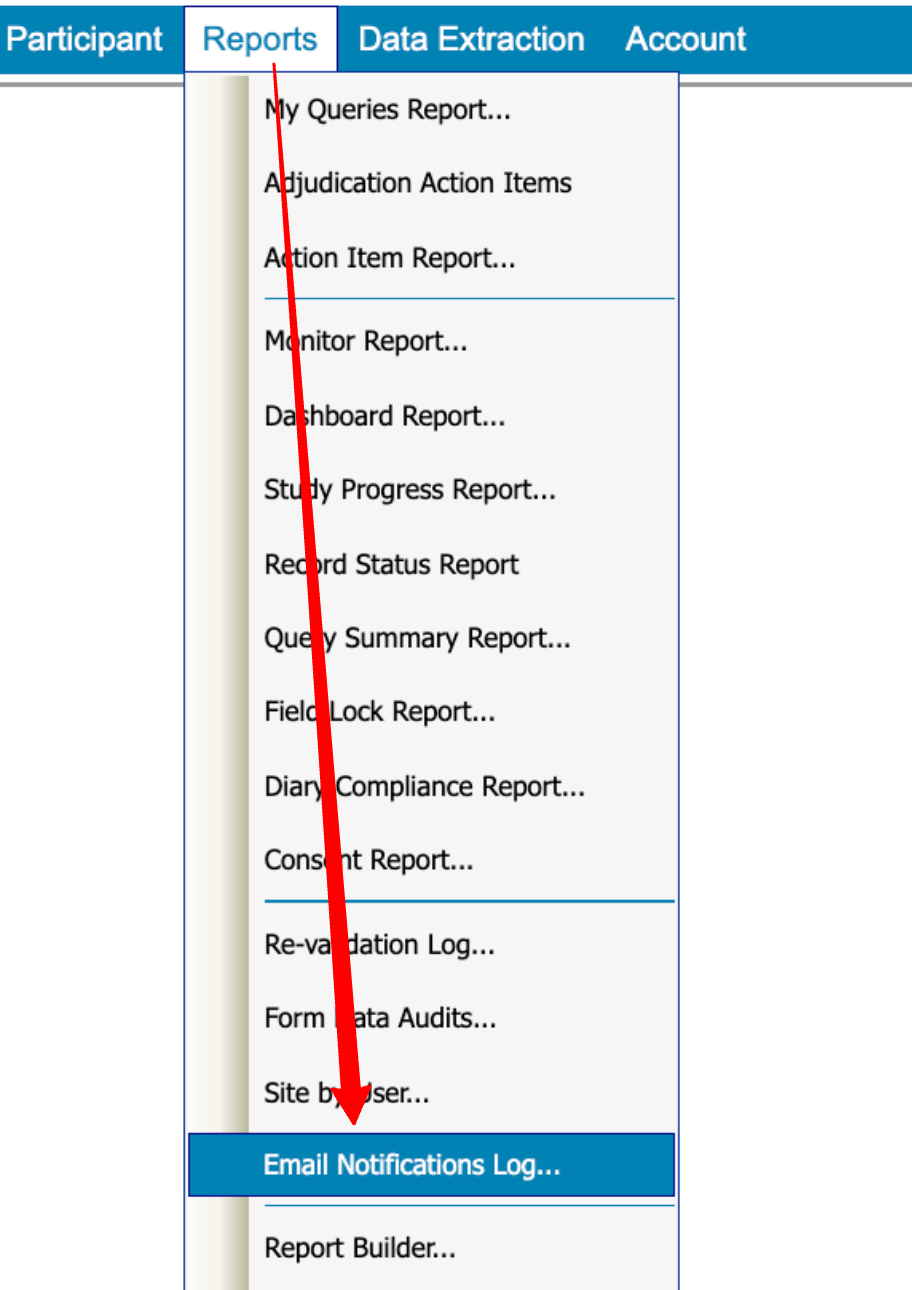
A log/report of email notifications is now available via the web to help study Admins see when users receive conditional action-based notifications. It’s helpful for troubleshooting if users claim they did or did not receive notifications that could be time sensitive.
More Flexibility Added to Adjudication Moderating Options
The moderation process in adjudication now allows for bypassing adjudication with a dedicated status for reporting to reflect it, in addition to some more clear steps related to moderation resolution and approval.
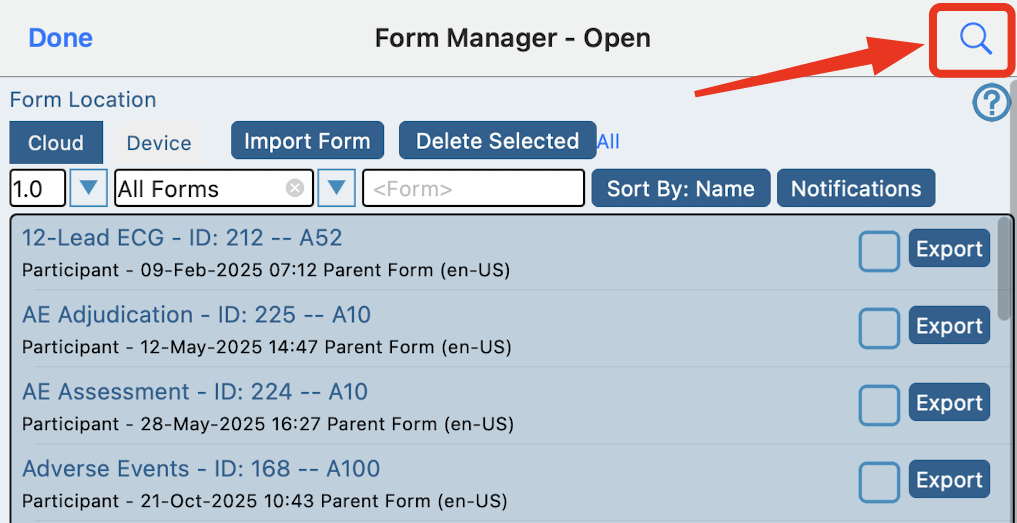
Universal field name and label search
The forms manager screen on the App now has a convenient way to look up any field name or label across the study. This serves as a quick method as a quick method of jumping to a form or simply finding a field without knowing the form it’s on.
Trial Master File Links
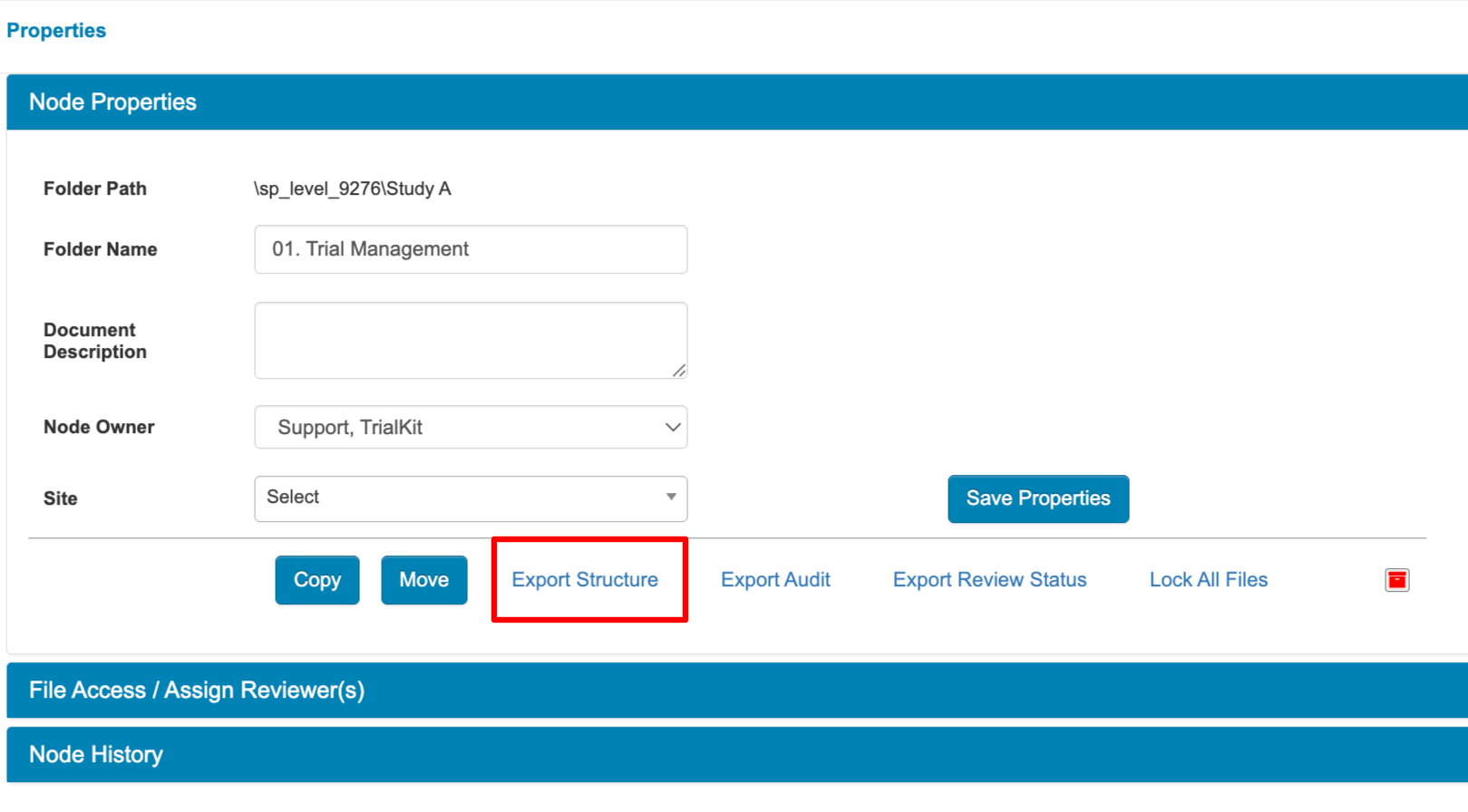
The eTMF gives users the ability to copy a file URL to share with other users of the TMF who have access. It now also puts that URL in the TMF export so Reviewers or Auditors can quickly jump to the file. Read more.
API For Redirecting Participants
Use TrialKit within your existing external workflows for Participant surveys, without the Participant downloading or manually logging into TrialKit. For example, a Sponsor might have their own app or website where they want to deliver forms for a study, but they don’t want the Participant to download another application or deal with added complications. This can be accomplished in a webview within any external application by leveraging this powerful new integration capability.
Other Worthy Mentions
Log form table sorting - The default sorting order for Log tables within the subject casebook is now based on record ID descending, so newest records always display first.
Visit and Form Index now available on the app. Read more.
Quick form replication within the form builder for faster development of child forms.
Consent Report and Diary notifications schedule are now available on the Web
Version management now stores when each version gets published. This exports with the version info.
Participant web portal usability improvements, particularly in mobile browsers.
Interval diaries can now be scheduled at the bottom on any hour, in addition to the top of any hour
Batch lock TMF files with folders
Download Release Notes ⬇️
Tap below to download the Excel sheet of all changes and corresponding details.
Note: The final release notes are subject to minor changes up until the date of the release
Version Certificate
Documentation can be viewed here in the CDS trust portal
Impact Considerations
Impact ratings can be found within the release notes for each change. Any changes that have potential to impact study configurations, expected existing behavior, or changes to common user navigation will be highlighted here.
The diary progress report will no longer be available to study Participants unless the permission is enabled. It was previously displayed to all Participants if the study contained any diary configurations.
The Email address field on the registration form no longer supports masking. This is to prevent email autofill from trying to modify the field on some browsers. Please ensure blinding is set on fields if specific user roles should not be able to view the data.